Category Archives: Node.js Tutorial

Node Js Tutorial

Nodejs MySql Connection

MySQL is one of the most popular open source database, and almost every popular programming language like PHP or Java provides driver to access and perform operations with MySQL.

In this tutorial we will try play with MySQL Database with Node.js.

Node.js MySql Connection

In order to be able experiment with MySQL Database, you must have MySQL installed on your computer. Node.js can be easily connected to MySQL Database using following steps –

Step 1:- Let’s create a project folder as “nodemysql “application and switch to that project directory.

Node.js MySQL Connection

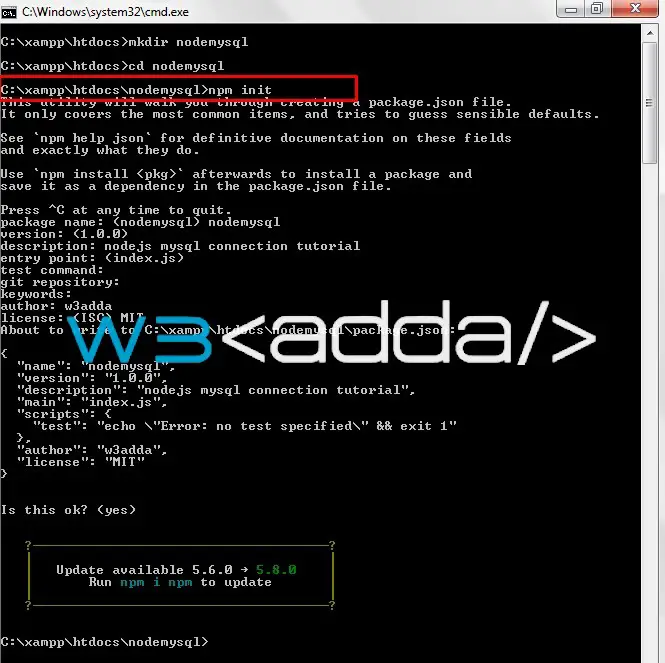
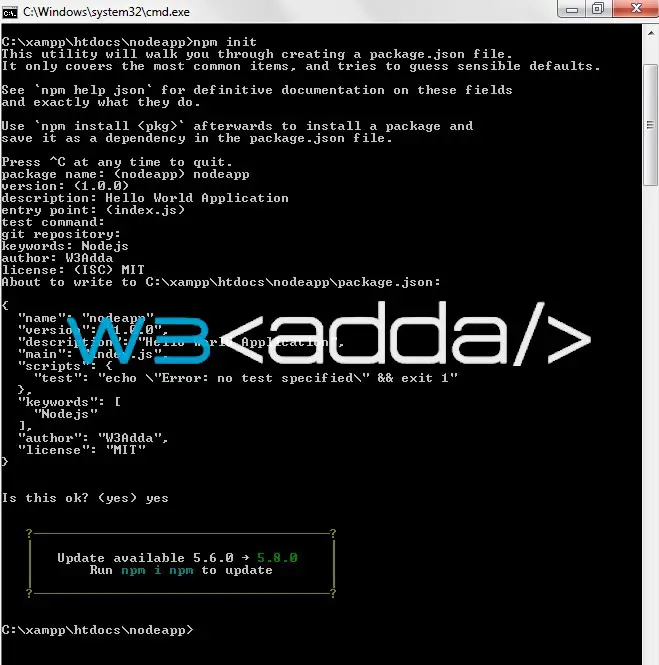
Step 2:- Now, run the following command to create the package.json

Node.js MySQL Connection 1

Install MySQL Driver

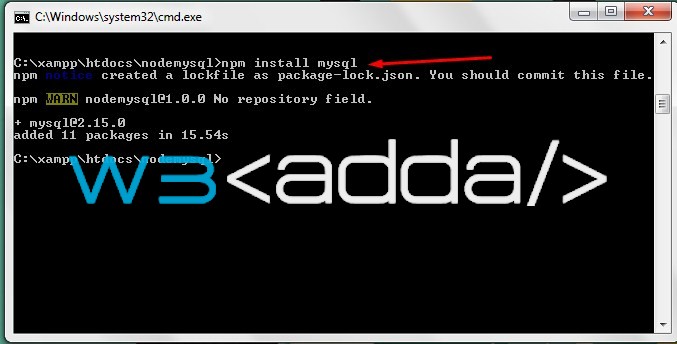
Step 3:- In order to access a MySQL database with Node.js, you need to install MySQL driver. Let’s download and install the “mysql” module using the following command –

Node.js MySQL Connection 3

Node.js MySQL Connection 3

Connecting MySQL Database With Node.js

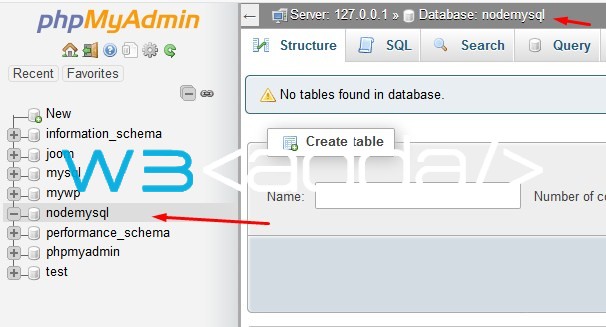
Step 4:- Let’s create a MySQL database with the name of your choice.
Node.js MySQL Connection 4

Node.js MySQL Connection 4

Step 5:- Now, create a node_mysql_conn.js file and put the following code in it –

Replace with your host name, database name, username and password correspondingly.

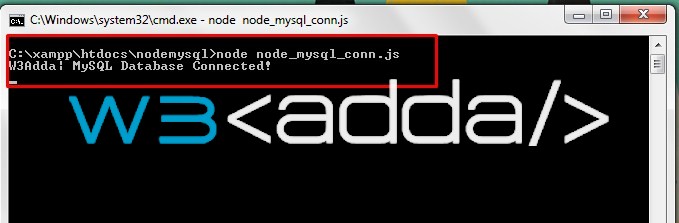
Step 6:- Save the code and open the terminal again, and type the following command in order to run the file.

you will see following output on terminal –
Node.js MySQL Connection 5
Node.js MySQL Connection 5
Nodejs Modules

What is Node.js Module?

Node.js module is simply an independent, reusable and organized functional unit. Node.js modules usually contains set of functions for a specific purpose or utility. Node.js modules allows you to split or organize simple or complex functionality into single or multiple JavaScript files which can be reused throughout the Node.js application. Every Node.js module in has its own context, thus it does not interfere with other modules.

Node.js Core Modules

Node.js comes with a rich set of built-in or Core modules, which helps you to build full featured Node.js application without any further installation. Node.js core modules are loaded automatically when Node.js application starts. However, you have to import the required core module into your application first in order to use it.

Node.js Custom Modules


NodeJs Hello World Application

Node Js Hello World Application

We will start learning Node Js application development by creating a “Hello world!” application. The “Hello world!” program is a simple yet complete example for beginners that illustrates the basics of Node Js. The “Hello world!” application will also gives you a way to test systems and development environment. This tutorial will guide you through writing a basic “Hello World!” application in Node Js.

In order to start with this tutorial, you will need NodeJS and NPM installed, so if you don’t have it installed, follow Nodejs Installation to have it installed.

This nodejs example will print “Hello World!” message on http://localhost:3000.

Step 1:- Let’s create a project folder as “nodeapp “application and switch to that project directory.

Step 2:- Now, run the following command to initialize the node.js application –

It will prompt for some inputs and will create a package.json file , this file is created to define all of the required modules and dependencies which is going to be used for this project.

Nodejs Hello World Application 1

Nodejs Hello World Application 1

here, we have defined index.js as the entry point file –

Nodejs Hello World Application 2

Nodejs Hello World Application 2

Step 3:- Let’s create index.js file and put the following code in it –

Step 4:- Let’s open the terminal again, change directory to your project folder and type the following command in order to run the server.

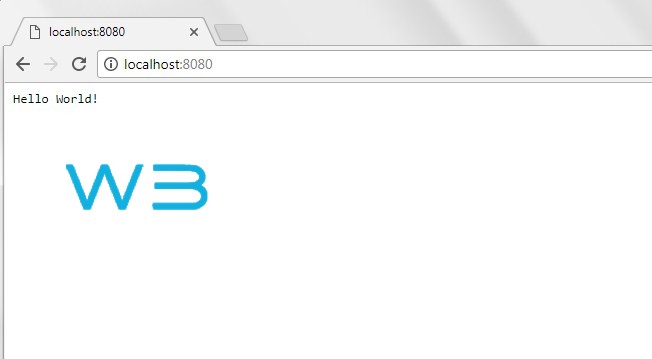
Step 5:- Now open the following URL in browser to view the output

http://localhost:8080

Step 6:- You will see the following screen.

Nodejs Hello World Application 3


NodeJs Installation

Installing Node and npm

In order to setup Node js development environment, you will need NodeJS and NPM installed, so if you don’t have it installed, check the following instruction to get it installed. If you’ve already have installed Node.js in your system, you can skip this part.

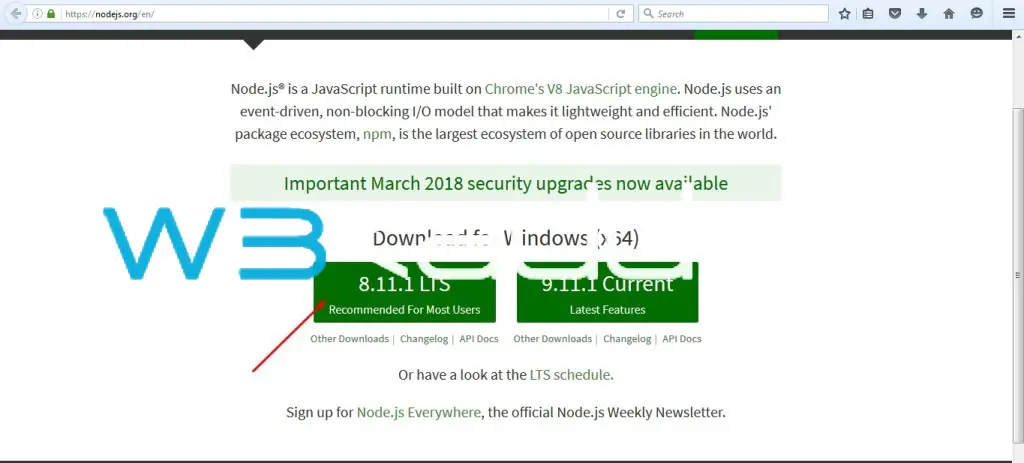
Step 1:- Download the Node.js from the official Node website, link given below –

Node js Installation 1

Node js Installation 1

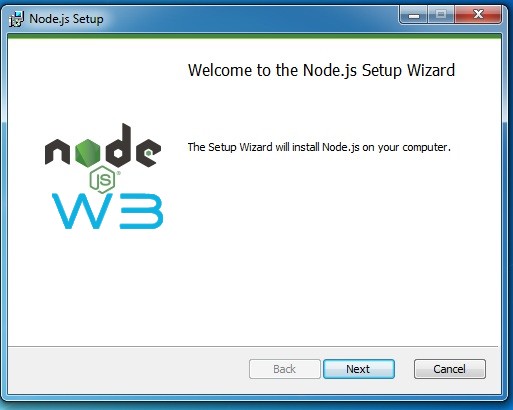
Step 2:- Run the installer (the .msi file you downloaded in the previous step.)

Node js Installation 3

Node js Installation 2

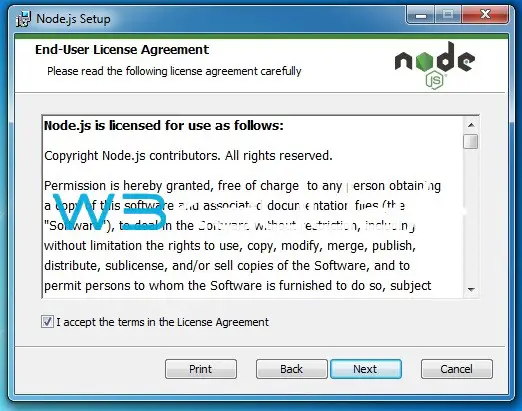
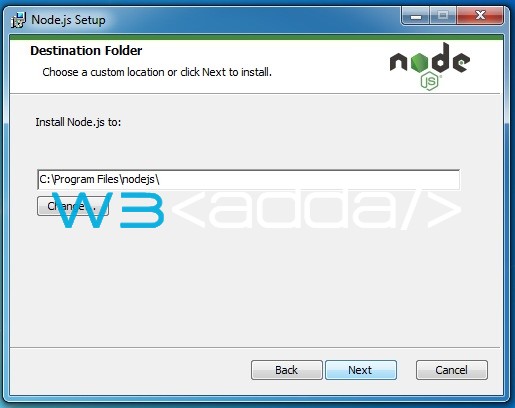
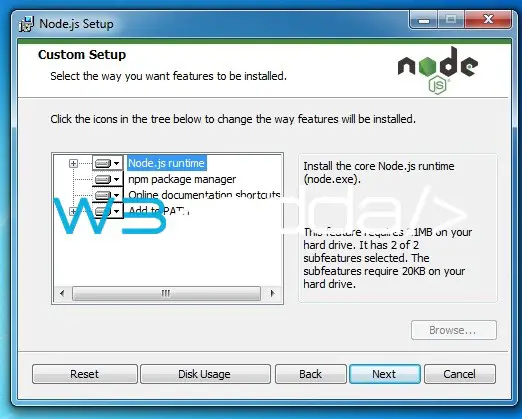
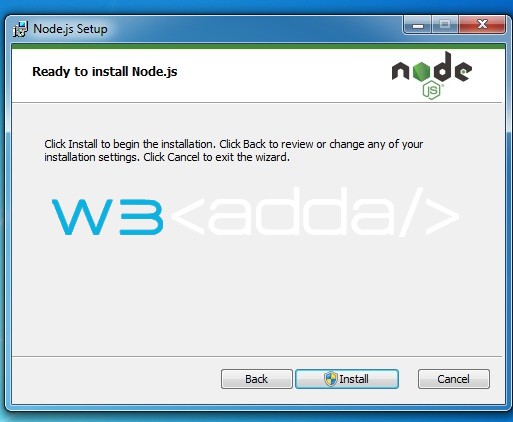
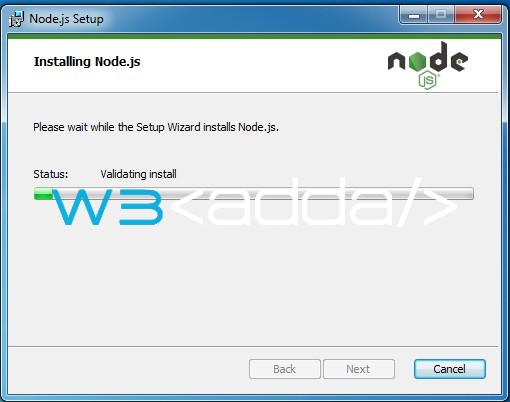
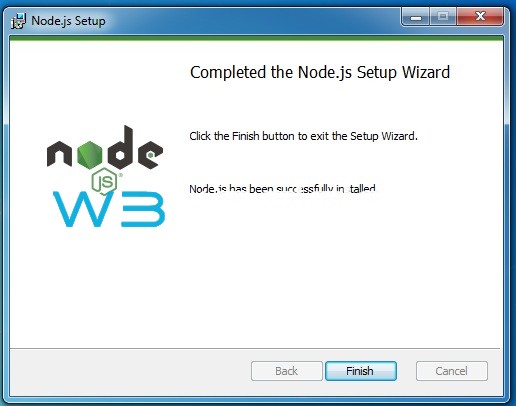
Step 3:- Follow the installation wizard to install Node.js and npm.

Node js Installation 3

Node js Installation 3

Node js Installation 4

Node js Installation 4

Node js Installation 5

Node js Installation 5

Node js Installation 6

Node js Installation 6

Node js Installation 7

Node js Installation 7

Node js Installation 8

Node js Installation 8

Step 4:- Restart your computer. You will not be able to run Node.js until you start your computer again.

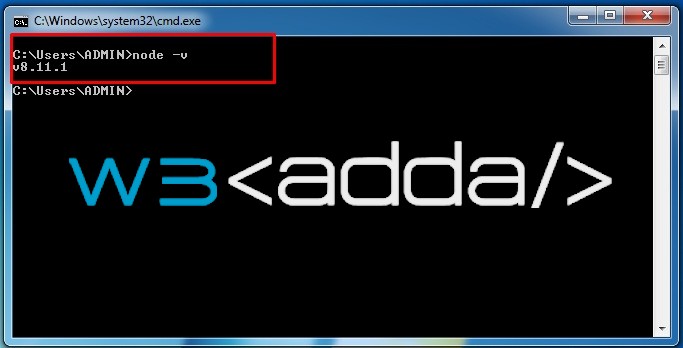
Step 5:- Now, lets open the terminal and run the following command in order to verify the Node and NPM installation.

Node js Installation 10

Node js Installation 10

Node js Installation 11

Node js Installation 11

Nodejs Pros And Cons

Node.js Advantages (Pros)

Asynchronous Non-blocking I/O optimizes throughput and scalability.

Node uses V8 JavaScript Runtime engine, which makes it really fast. It is much faster than PHP, Ruby, Python, or Perl.

It uses single programming language (JavaScript) on both the client-side and server-side, it results in increased code reusability.

Built-In APIs to build server like HTTP Server, Chat Server, Proxy Server, DNS Server, TCP Server etc.

Cross platforms (Windows, Linux, Unix, Mac OS X, etc.) support.

It Supports Caching for individual modules.

It easy to build RESTful APIs for database support JSON such as MongoDB or CouchDB.

Open source NPM repository of over 50,000 packages helps developers to create full featured Node.js applications.

It is open source and completely free to use.

It supports unit testing out of box.

Supported by a huge, diverse, active and rapidly growing community of developers around the world. It it is easy to get help or support from community members.

Node.js Disadvantages (Cons)

Node.js is not suited for CPU-intensive operations.

It is difficult to deal with relational database in Node.js.

It doesn’t support multi-threaded programming.

Not Suitable for Large and Complex Web Applications.

Developers have to face scalability issues with asynchronous programming model.

Nodejs History

Node.js History

2009:-
Node.js was created by Ryan Dahl and other developers working at Joyent in 2009.

2011:-
In 2011, the Node Package Manager (NPM) was released and it allowed for the sharing of open-source libraries.

2014:-
In December 2014, io.js created as a fork of the Node.js project due to some development and management conflicts.

2015:-
In Sep 14, 2015, Node.js and io.js are merged together into a single code base, and foundation announced the combined release as Node.js version 4.0.

Nodejs Features

Node.js Features

Extremely fast:

The Node.js is built on the Google Chrome’s JavaScript run-time Engine (V8 virtual machine) which makes Node.js application to execute much faster.

Single threaded:

Node.js operates on a single thread using an event looping mechanism, where a main thread put requests onto the event loop and process them, effectively to achieve high level of concurrency without having to assign additional threads.

Highly Scalable: Single threaded event looping mechanism makes Node.js highly scalable as compared to traditional servers which allocate limited number of threads to handle requests.

Non-blocking Event Driven I/O:

In Node.js, I/O intensive operations are performed asynchronously. Node.js uses a event driven non-blocking I/O API in order to execute the I/O operations. In non-blocking environment I/O operations are executed in parallel instead of one by one, here callbacks are used to signal completion.

Real Time Data Streaming:

In Node.js data never buffer, it allows real-time data streaming and proxying between different data sources.

APIs for Object DBs:

JSON (JavaScript Object Notation) is most popular and widely used data exchange format, it allows JavaScript developers easily construct RESTful APIs.In Node.js, data stored in JSON format can be easily exposed without the impedance mismatch and data conversion.Thus Node.js is perfect fit for exposing the data from database supporting JSON data format such as MongoDB or CouchDB.

Single Codebase (JavaScript):

Node.js is based on Javascript, it allows developers to write server-side and client-side coding using JavaScript.This way it reduces the impedance mismatch between these two points automatically.It become easy to send and synchronize data via JSON that work the same on both the two programming environments. Same database model can both the client-side and server-side.

In-built Package Management:

Node.js comes with an inbuilt Package Manager known as NPM (Node Package Manager). It is used to install, organize and manage third-party Node.js programs and dependencies.

Industry and Community Driven:

Node.js is supported by a huge, diverse, active and rapidly growing community of developers around the world. Node.js community helps to keep the framework always up-to-date. Key updates are always available and it is easy to get help or support from community members.

Node.js encourages sharing using the inbuilt Node Package Manager (NPM). It allows developers to easily update, share or reuse modules/codes. Node.js open source community has produced many useful modules that add extra capabilities to Node.js applications. NPM repository of over 50,000 packages helps developers to create full featured Node.js applications.

Nodejs Introduction

What is Node.js?

Node.js is an open-source, cross-platform run-time environment for running JavaScript applications on server-side. JavaScript is always been used as client-side scripting language, where JavaScript code is usually embedded into the HTML Web Page that is executed client-side by the user’s web browser. Node.js made it possible to use JavaScript for building server-side application. In Node.js, JavaScript code is executed server-side to produce dynamic page content before the page is being sent to the user’s web browser. Node.js offers a run-time environment which enable web applications to have a two-way real-time connections, where both the client and server can interact freely to exchange data.

Node.js is a very powerful server-side platform built on Google Chrome’s V8 JavaScript Engine. Node.js follows an event-driven, non-blocking I/O architecture which makes it perfect for data-intensive realtime applications that run across distributed network/devices. Node.js applications are very fast, lightweight, efficient, scalable and can run over variety of operating systems(OS X, Microsoft Windows, and Linux).

Node.js is completely free and provides a rich set of various JavaScript modules which simplifies the web application development.

Why Node.js?

In traditional web-serving technologies each connection (request) open up a new thread, which is prone to be blocked on I/O and handle multiple simultaneous users. Whereas Node.js operates on asynchronous non-blocking event driven I/O model, allowing it to support tens of thousands of concurrent connections, this can easily beat traditional threaded server environments like PHP and Ruby on Rails. Node.js highly efficient and scalable as compared to traditional servers which allocate limited number of threads to handle requests.

Who uses Node.js?

Node.js is trusted and backed by large enterprises running mission-critical applications. Below is a list of a few of them –
Adobe
Google
Microsoft
Netflix
PayPal
Uber
Walmart
LinkedIn
Ebay
Mozilla
etc.

Where to Use Node.js?

Node.js is perfect framework/platform for building following type of application –

  • I/O Intensive Applications
  • Real-time Applications like Multiplayer Games, Stock Trading, Chat App etc.
  • JSON APIs based Applications
  • Single Page Applications
  • Data(Audio/Video) Streaming Applications
  • Proxy or HTTP Web Server
  • Network Applications
  • High Concurrency Applications
  • File Uploading Tools
  • Process Monitoring Tools

Where Not to Use Node.js?

Node.js operates on single threaded environment thus it is recommended not to use Node.js for CPU intensive applications.