Category Archives: Julia Tutorial

Julia Tutorial

Julia Hello World Program

Julia Hello World Program

As usual we will start learning Julia programming by creating “Hello world!” program. The “Hello world!” program is a simplest program that will display some text on the screen. The “Hello world!” program is a simple yet complete program for beginners that illustrates the basic syntax of Julia programming language. The “Hello world!” program gives you a way to test systems and programming environment.

This tutorial will guide you through writing a basic “Hello World!” program in Julia. In Julia Programming, you can do this either by programming it directly in command prompt or you can simply write a program in a file and executing it.

Julia Command Prompt

Let’s open command prompt and run the following command to start the Julia Command prompt.

Or you can start Julia Shell directly from programs –
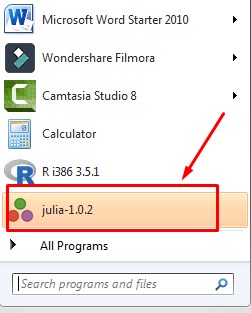
julia-windows-installation-5-1

this will launch Julia GUI Shell as following –
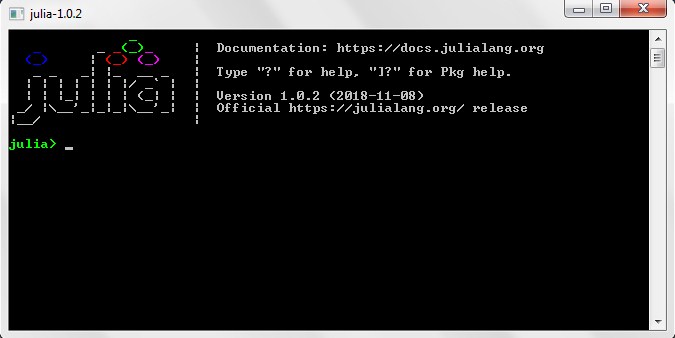
julia-windows-installation-5

Here, you can start writing your program. In Julia Command Prompt, you can print the “Hello World!” as following –

Example :-

Output:-

julia-hello-world-shell

Julia Script File

Step 1:- Create a file called “hello_world.jl” using a text editor program of your choice. The .jl file extension is used to specify Julia file.

Step 2:- Let’s open the “hello_world.jl” file that we created, and put the following line of code in it and save it.

The println() is a function that tells the julia to display or output the content inside the parentheses.

Step 3:- Now, open terminal or command prompt and switch to the folder where our “hello_world.jl” file is saved. Run the program by typing the following command –

Once the program is executed it will print “Hello World!” as below –

Output:-

julia-hello-world-script

Note :- Before executing Julia Script in the command prompt, PATH has to be added to environment variables in advanced system properties.
Julia Installation

Julia Installation

Installing Julia In Windows

In order to setup Julia Programming development environment you need to have Julia installed, so if you don’t have it installed, check the following instruction to get Julia Language installed. If you’ve already have installed Julia Language in your system, you can skip this part.

Step 1:- Download the Julia Setup from the official Julia Language website, link given below –

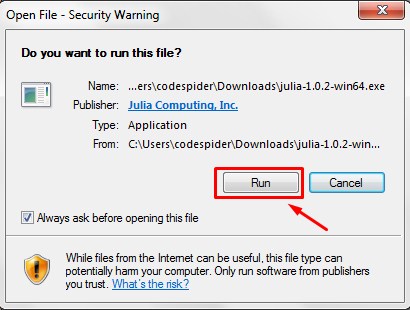
Step 2:- Run the installer (the .exe file you downloaded in the previous step.)

julia-windows-installation-1

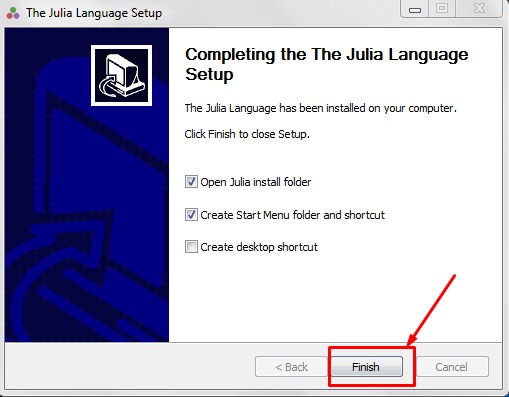
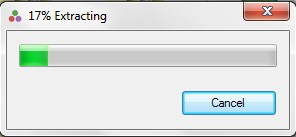
Step 3:- Follow the installation wizard to install Julia.

julia-windows-installation-2

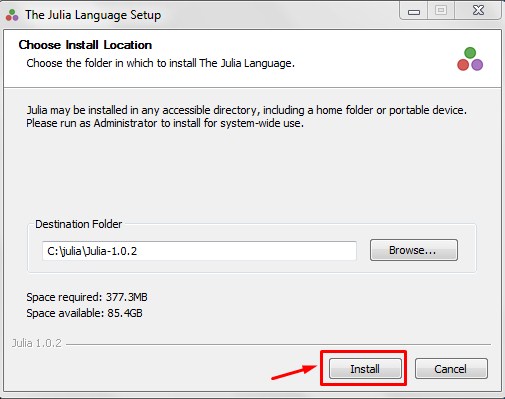
Step 4:- Select the Installation path and click next.

julia-windows-installation-3

julia-windows-installation-4

Step 5:- Now, you can open the Julia GUI from here –

julia-windows-installation-5-1

julia-windows-installation-5

Step 6:- If you want to execute Julia Script from command prompt, “C:\julia\Julia-1.0.2\bin” has to be added to environment variables in advanced system properties.
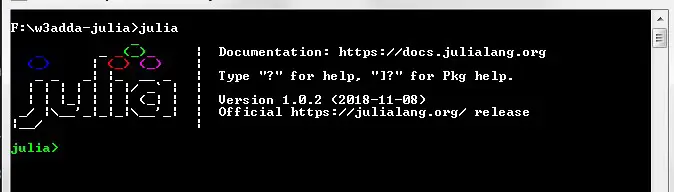
Step 7:- Now, lets open the terminal and run the following command in order to verify the Julia installation.

julia-windows-installation-6

Installing Julia on Ubuntu

You can run the following commands on a Ubuntu system to install Julia –

Julia Features

Julia Features

  • Julia is Open source and free under MIT license
  • Julia is Compiled, not interpreted, makes it faster
  • Julia is inherently designed for distributed and parallel computing
  • Julia provides Automatic memory management mechanism
  • Julia is interoperable with other programming languages such as Python and C
  • Julia is dynamic typed programming language
  • It has easy to learn straightforward and math friendly syntax
  • It has in-built package manager
  • It comes with a powerful interactive command line tool
  • It is highly extensible

Julia Introduction

Julia Introduction

Julia is an open-source, multi-platform, high-level, high-performance programming language widely used for statistical computing, data analytics, scientific research, data modeling, graphical representation and reporting. It is an open source programming language mainly designed for high performance scientific and numerical computation. Julia is dynamically typed programming language that support multiple dispatch, parallel and distributed computing. Julia has an LLVM-based JIT compiler which gives high performance without the typical need of separate compilation.

Why Julia?

Julia incorporates various key advantages of many other high level programming languages such as C, C++, Python, and Ruby etc. Julia provides the just-in-time compiler that gives it major speed boost over other compiled languages such as C++ and Fortran. It incorporates the dynamism of many other high-level languages, such as Python or Ruby. Julia incorporates mathematical notations similar to many scientific computing languages like Matlab, R, Mathematica, and Octave. Julia provides math-friendly syntax makes it easier for non-programmers to learn and understand. Furthermore, Julia provides the statistical ease of R and the general usage of Python. Combing all these features makes Julia an incredibly powerful language.

Julia Features

  • Julia is Open source and free under MIT license
  • Julia is Compiled, not interpreted, makes it faster
  • Julia is inherently designed for distributed and parallel computing
  • Julia provides Automatic memory management mechanism
  • Julia is interoperable with other programming languages such as Python and C
  • Julia is dynamic typed programming language
  • It has easy to learn straightforward and math friendly syntax
  • It has in-built package manager
  • It comes with a powerful interactive command line tool
  • It is highly extensible