Category Archives: Java Swing Tutorial

Java Swing Tutorial

Swing JTextField

Swing JTextField

JTextField is a Lightweight single line component which allows user for editing. It extends JTextComponent and implements SwingConstants.


JTextField Class Declaration

JTextField Constructor

Some commonly useable constructors are listed below.

JTextField : This constructor is used to construct new Text Field.

JTextField(Document doc,String text, int columns): This constructor is used to construct a Text Field which used the given text storage model and the given number of columns.

JTextField(int columns) :This constructor is used to construct a empty Text Field with given number of columns.

JTextField(String text): This constructor is used to construct a Text field initialized with specific text.

JTextField(String text, int columns): This constructor is used to construct a Text field initialized with specific text and columns.

JTextField Methods

Some of Commonly useable methods are listed below.

void addActionListener(ActionListener l): This method is used to adds the specific action listener to receive action events from Text Field.

int getColumns(): This method is used to get number of columns of particular Text Field and return type is Integer.

Action getAction():This method is used to returns currently set Action .

int getHorizontalAlignement(): This method return integer value of horizontal alignment of the text.
void setFont(Font f): This method is used to sets the current font.

void setHorizontalAlignment(int aligment):This method is used to sets the horizontal alignment of text.

void removeActionListener(ActionListener listener): With the help of this method we can remove any specific listener so that text field Is no longer to receives any specific action events.

Example :-

Let’s do coding for Text Field, With the help of below program you can simply get understand about JTextField.

W3AddASwing.java

Create a class and put down below code into the class.

Output :-

Output of this code will look like below image.

image001

This was simple article to get understand about JTextField. I Hope from this article you got clear idea about JTextField.
Swing JTextArea

Swing JTextArea

JTextArea is a multi line component which allows user for editing. It extends JTextComponent. The JTextArea internally handles Scrolling.

JTextArea Class Declaration

JTextArea Constructor

Some commonly useable constructors are listed below.

JTextArea : This constructor is used to construct new Text Area.

JTextArea(Document doc,String text,int row, int columns): This constructor is used to construct a Text Area which used the given text storage model and the given number of rows and columns.

JTextArea(int rows, int columns) :This constructor is used to construct a empty Text Area with given number of rows and columns.

JTextArea(String text): This constructor is used to construct a Text Area initialized with specific text.

JTextArea(String text,int rows, int columns): This constructor is used to construct a Text Area initialized with specific text and number of rows and columns.

JTextArea Methods

Some of Commonly useable methods are listed below.

void append(String str): This method is used to append or add text at the end of document.

AccessibleContext getAccessableContext(): This method is used to gets the AccessibleContext which is associated with JTextArea.

int getLineCount():This method is used to get number of lines into the JTextArea and return will be in Integer.

int getColumns(): This method is used to get number of columns of particular Text Area and return type is Integer.

protected int getColumnWidth(): This method simply returns the column width in integer.

Dimension getPreferredSize(): This method simply returns the preferred size of JTextArea.

int getHorizontalAlignement(): This method return integer value of horizontal alignment of the text.
void setFont(Font f): This method is used to sets the current font.

void insert(String str, int pos): With the help of this method we can insert any string at specified position.

Example :-

Let’s do coding for Text Area, With the help of below program you can simply get understand about JTextArea.

W3AddASwing.java

Create a class and put down below code into the class.

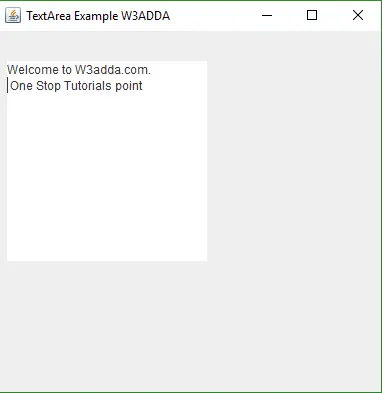
Output :-

Output of this code will look like below image.

image001

This was simple article to get understand about JTextArea. I Hope from this article you got clear idea about JTextArea.

Swing JRadioButton

Swing JRadioButton

The JRadioButton class is used to create radio button. It’s an implementation of a radio button. This radio button are used for selecting one option from multiple choice. Used with a ButtonGroup object to create a group of button in which only one button at a time can be selected.

JRadioButton Class Declaration

JRadioButton Constructor

Let’s get more understand about JRadioButton, Some of important constructor are listed below.

JRadioButton () : This constructor construct a new radio button with unselected state and no text , no icon.

JRadioButton (String text): This constructor construct a new radio button with unselected state and with text.

JRadioButton (Icon icon): This constructor construct a new radio button with unselected state and with icon.

JRadioButton (String text, boolean selected): This constructor construct a new radio button with text and specify whether or not it is initially selected.

JRadioButton (String text, Icon icon): This constructor is used to construct a new radio button with text and with icon.

JRadioButton (String text, Icon icon, boolean selected): This constructor is used to construct a new radio button with text, icon and specify whether or not it is initially selected.

JRadioButton (Action a): Construct a radio button where properties are taken from the Action supplied.

JRadioButton Methods

Some of commonly used methods are listed below. It will help to know more about JRadioButton.

AccessibleContext getAccessibleContext(): Used to gets the AccessibleContext which is associated with this JRadioButton.

void updateUI(): This method is used to resets the UI property to a value from the current look and feel.

protected String paramString(): This method returns string representation of this JRadioButton.

Example :-

An simple example to get understand about JRadioButton. Hopefully this will work for you.

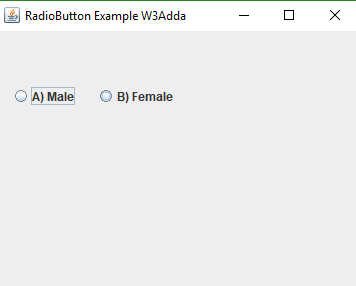
Output :-

Output of this code will look like below image. You just need to copy this code and paste it in you program.

image001

Swing JProgessBar

Swing JProgessBar

JProgressBar is used to displays the progress of some task. As the task progresses towards completion , the progress bar displays task’s percentage of completion.

JProgessBarClass Declaration

JProgessBar Constructor

Let’s get more understand about JProgressBaar, Some of important constructor are listed below.

JProgressBar(): This constructor is used to construct a horizontal progress bar without progress string.

JProgessBar(BoundedRangModel newModel): This constructor is used to construct a horizontal progress bar that hold the progress bar’s data of specified model.

JProgressBar(int orient): This constructor construct a progress bar with given orientation, it may be SwingConstant.VERTICAL or SwingConstant.Horizontal.

JProgressBar(int min, int max): This constructor construct a horizontal progress bar with the minimum and maximum given value.

JProgressBar(int orient, int min, int max): This constructor construct a progress bar with minimum , maximum and given orientation.

JProgessBar Method

Some of commonly used methods are listed below. It will help to know more about JProgressBar

void addChangeListener(ChangeListener l): This method is used to add the specified ChangeListener to the progress bar.

int getValue(): It returns current progress value of Progress Bar.

boolean isIndeterminate(): This method returns the value of the indeterminate property.

void setIndeterminate(boolean value): This method is used to set Indeterminate value of Progress Bar , which specified that the progress bar will be determinate or indeterminate.

void setMaximum(int n): It sets the maximum progress value of progress bar.

void setMinimum(int n): It sets the minimum progress value of progress bar.

void setString(String s): it is used to set the value of the progress string.

void setValue(int n):This method is used to sets the “n”current progress value to the Progress Bar.

Example :-

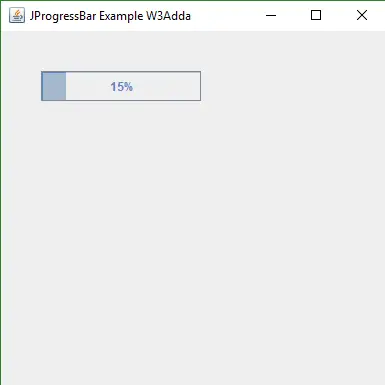
An simple example to get understand about JProgressBar. Hopefully this will work for you.

Output :-

Output of this code will look like below image. You just need to copy this code and paste it in you program.

image001

Swing JPasswordField

Swing JPasswordField

JPasawordField is a subclass of JTextField . It’s a lightweight single line component which allows users for editing where the view indicates something was typed , but does not show the original character.

JPasswordField Class Declaration

JPasswordField Constructor

Some important and usable constructor summary listed below.

JPasswordField(): This constructor is used to construct a new Password Field.

JPasswordField(Document doc, String text, int columns): This constructor is used to construct a Password Field that uses the given text storage model and the given number of columns.

JPasswordField(int columns): This constructor is used to construct an empty Password Field with specific number of columns.

JPasswordField(String text): This constructor is used to construct a Password field with given string.

JPasswordField(String text, int columns): This constructor is used to construct a Password field with given string and columns.

JPasswordField Method

Some of Useable and important method are listed below.

char[] getPassword(): This method is used to return text of this component.

String getText(): This method is Deprecated , used to get Text of this component.

AccessibleContext getAccessibleContext(): This method returns AccessibleContext which is associated with this JPasswordField.

protected String paramString(): This method returns a string representation of this JTextField.

Example :-

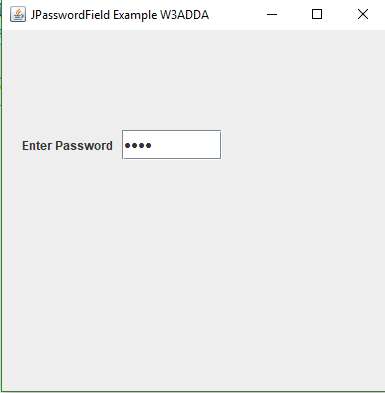
In the below example I have used simple password field so that we can easily understand what does it mean.

Output :-

Just copy this code or run it, you will get your result like above image.

image001

Swing JPanel

Swing JPanel

JPanel is a lightweight container. In Application or Frame it provides some space so that we can use it by putting other components.

JPanel Class Declaration

JPanel Constructor

Let’s get more understand about JPanel, Some of important constructor are listed below.

JPanel(): This constructor construct new JPanel with double buffer and flow layout.

JPanel(boolean isDoubleBuffered): This constructor construct a new JPanel with FlowLayout and given buffering strategy .

JPanel(LayoutManager layout): This constructor construct a new JPanel with the given layout manager.

JPanel(LayoutManager layout, boolean isDoubleBuffered): This constructor is used to construct new JPanel with given layout manager and buffering strategy.

JPanel Methods

Some of commonly used methods are listed below. It will help to know more about JPanel.

AccessibleContext getAccessibleContext(): This method is used to get AccessibleContext which is associated with JPanel.

void setUI(PanelUI ui): This method is used to set look and feel object.

void updateUI(): This method is used to resets the UI property with the value from current look and feel.

Example :-

An simple example to get understand about JPanel. Hopefully this will work for you.

Output :-

Output of this code will look like below image. You just need to copy this code and paste it in you program.

image001

Swing JList

Swing JList

It is a component which displays list of item and allows users to select one or more items. It is easy to display an array or Vector objects , using the JList constructor that automatically build a read-only instance for you. Let’s simply understand it by below simple code. In below code explained that how can we create jList and can add array and vector data in JList.

JList Class Declaration

JList Constructor

Let’s get more understand about JComboBox, Some of important constructor are listed below.

JList () : This constructor construct a new JList with an empty, read-only model.

JList (ListModel<E> dataModel): This constructor is used to construct a JList that displays the elements from the specified, not-null , model.

JList (E[] listData): This constructor is used to construct a JList in which displays the elements in the specified array.

JComboBox(Vector<? eExtends w> listData): This constructor is used to construct a JList that displays elements in the specified vector.


JList Methos

Some of commonly used methods are listed below. It will help to know more about JList.

void addListSelectionListener(ListSelectionListener listener): This method is used to add a listener to the list, which notified each time a change to the selection occurs.

void clearSelection(): This method is used to clear the selection.

int getFirstVisibleIndex(): It returns an integer value of smallest list index that is currently visible.

ListModel<E> getModel(): This method is used to returns the displayed items of JListComponent which holds by the data model.

int getSelectedIndex(): This method is used to get the smallest selected cell index, and when single item selected in the list.

E getSelectedValue(): This method returns the value of smallest selected cell index .

List<E> getSelectedValuesList(): This method is used to returns the list of selected items.

String getToolTipText(MouseEvent event): This method is used to returns tool tip text.

void setListData(Vector<? extends E> listData): This method is used to create a read-only ListModel from a Vector.

void setListData(E[] listData): This method is used to create a read-only ListModel from an array of items..


void setSelectedIndex(int index): This method used to selects the single cell.

void setSelectionBackground(Color selectionBackground): This method is used to sets the color used to draw the background of selected items.

Example :-

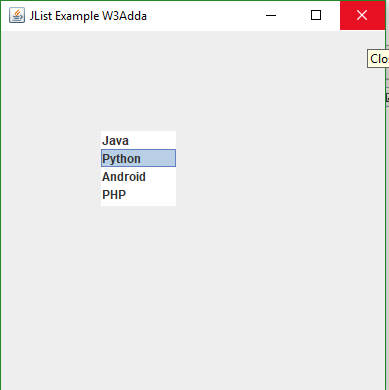
An simple example to get understand about JList. Hopefully this will work for you.

Output :-

Output of this code will look like below image. You just need to copy this code and paste it in you program.

image001

Swing JLabel

Swing JLabel

The JLabel Class is used to display a single line of read only text. Read only means user can not change it but it can be changed by an application. The JLabel class extends JComponent class.
A JLabel can display either text, an image, or both.

JLabel Class Declaration

JLabel Constructor

Some commonly used constructor listed below.

JLabel(): This constructor is used to create instance of JLabel with no image and empty string value.

Syntax:-

JLabel(Icon Image): This constructor is used to create instance of JLabel with an Image icon.

Syntax:-

JLabel(String text): This constructor is used to create instance of JLabel with specific text.

Syntax:-

JLabel(String text, Icon image, int horizontalAlignment): This constructor is used to create an instance of JLabel with String ,Image and horizontal alignment.

Syntax:-

JLabel Methos

Some of commonly used methods are listed below.

Icon getIcon(): This method is used to return an icon which is displayed to this Label.

String getText() : This method is used to return String of JLabel.

void setText(String text): This method is used to set Text to the JLabel.

void setIcon(Icon icon): This method is used to set icon on the JLabel.

void setHorizontalAlignment(int alignment): This method is used to sets the horizontal position of the Jlabel’s content along the X- axis.

void setVerticalAlignment(int alignment): This method is used to sets the vertical position of the JLabel’s content along the Y-axis.

int getHorizontalAlignment(): This method is used to returns the alignment of the label’s contents along the X-axis and return type is Integer.

Int getVerticalAlignment(): This method is used to returns the alignment of the label’s contents along with the Y-axis and return type is Integer.

Example :-

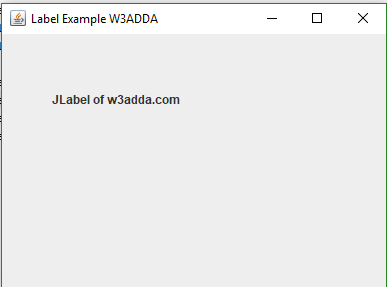
From the below example we will get understand about JLabel class. This is the simple example you can do more on it.

Output :-

The output of this code will look like below image.

image001

Swing JFrame

Swing JFrame

The JFrame is an extended version of java.awt.Frame. JFrame works like main window where Lables,Buttons, TextFields components are used to create a GUI. It also adds support of JFC/Swing component architecture.

The class declaration of JFrame is like below

JFrame Fields

Fields which are used for creation of JFrame and commonly used are listed below.

protected AccessibleContext accessibleContext : The Accessible Context Property.

static int EXIT_ON_CLOSE : The exit application default window close operation.

protected JRootPane rootPane: The JRootPane instance that manages the content Pane and optional menuBar for this frame, as well the glassPane.

protected boolean rootPaneCheckingEnabled : If true then calls to add and setLayout will be forwarded to the contentPane.

JFrame Constructor

Following constructor are used to create JFrame.

JFrame(): This constructor construct a new frame that is initially invisible.

JFrame(GraphicsConfiguration gc): This constructor is used to creates a Frame in the specified GraphicsConfiguration of a screen device and a blank title.

JFrame(String title): This constructor is used to creates a new initially invisible frame with title.

JFrame(String title, GraphicsConfiguration gc): This constructor is used to creates a Frame with the specified title and the specified GrapicsConfiguration of a screen device.


JFrame Methods

Some useful methods are listed below which are used in JFrame.

protected void addImpl(Component comp, Object constraints, int index): It is used to Adds the specified child Component.

protected JRootPane createRootPane() : It is called by the constructor methods to create the default rootPane.

protected void frameInit(): This method is called by the constructor to init the JFrame properly.

void setContentPane(Containe contentPane): This method is used to set contentPane property.

void setIconImage(Image icon): This method is used to sets the image to be displayed as the icon for this window.

static void setDefaultLookAndFeelDecorated(boolean defaultLookAndFeelDecorated): This method is used to provides a hint that newly created JFrame have their Window decoration provided by the current look and feel.

void setJMenuBar(JMenuBar menubar) : This method is used to set JMenuBar for this JFrame.

void setLayeredPane(JLayeredPane layeredPane): This method is used to set the layeredPane Property.

JRootPane getRootPane(): This method is used to return rootPane object for this JFrame.

TransferHandler getTrasferHandler(): It gets tranferHandler Property.

void setDefaultCloseOperation(int operation): This method is used to sets the operation that will happen by default when the user initiates a “close” on this frame .


Example :-

A simple example code is written below, for getting understand that how frame creates.

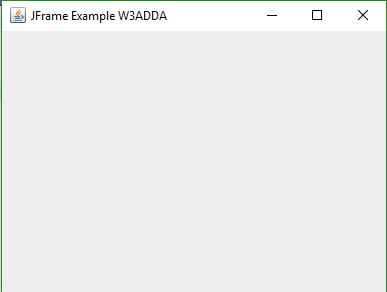
Output :-

Output of this code will look like below image.

image001

Swing JComboBox

Swing JComboBox

It’s a component that combines a button or editable field and a drop-down list. In the JComboBox user can select a value from drop-down list. You can also create ComboBox editable for that combo box include an editable fields.

//Class Declaration

JComboBox Constructor

Let’s get more understand about JComboBox, Some of important constructor are listed below.

JComboBox() : This constructor construct a new JComboBox with default data model.

JComboBox(ComboBoxModel<E> aModel): This constructor is used to creates a JComboBox which takes its item from an existing ComboBoxModel.

JComboBox(E[] items): This constructor is used to creates a JComboBox in which elements are contains in the specified array.

JComboBox(Vector<?> items): This constructor is used to creates a JComboBox in which elements are contains in the specified Vector.

JComboBox Methods

Some of commonly used methods are listed below. It will help to know more about JComboBox.

void addItem(E item): By the name it is simply saying that it is used to adds an item in the list of Combo Box.

void addActionListener(ActionListener a): This method is used to add an Action Listener.

void addItemListener(ItemListener aListener): This method is used to add an ItemListener.

E getItemAt(int index): This method is used to return the list item at the specified index or can say position.

int getItemCount(): This method is used to get Number of Item in the List of JComboBox.

void insertItemAt(E item, int index): With the help of this method we can insert item in the list at specified index or position.

boolean isEditable(): This method is used to return that JComboBox is editable or not.

void removeAllItems(): This method simply remove all items from list of JComboBox.

void removeItem(Object anObject): This method is used to remove an item from list of JComboBox.

void removeItemAt(int index): This method is used to removes the item at index. It only works when JComboBox uses a mutable data model.

void setSelectedIndex(int index): This method used to select the item at given index.

void setModel(ComboBoxModel<E> aModel): This method is used to sets the data model that the JComboBox uses to obtain the list of items.

Example :-

An simple example to get understand about JComboBox. Hopefully this will work for you.

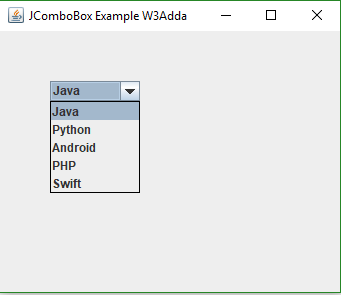
Output :-

Output of this code will look like below image. You just need to copy this code and paste it in you program.

image001

Swing JCheckBox

Swing JCheckBox

JCheckBox which inherits JToggelButton is used to create check box in Swing. This used to turn an option “on” means “true” or “off” means “false”. Clicking on Check Box it means you are changing its state from “off” to “on” or from “on” to “off”.

Constructor Summary: Let’s get more understand about JCheckBox , Some of important constructor are listed below.

JCheckBox() : This constructor construct a new checkbox with unselected state and no text , no icon.

JCheckBox(String text): This constructor construct a new checkbox button with unselected state and with text.

JCheckBox(Icon icon): This constructor construct a new checkbox button with unselected state and with icon.

JCheckBox(String text, boolean selected): This constructor construct a new checkbox with text and specify whether or not it is initially selected.

JCheckBox(String text, Icon icon): This constructor is used to construct a new checkbox button with text and with icon.

JCheckBox(String text, Icon icon, boolean selected): This constructor is used to construct a new checkbox button with text, icon and specify whether or not it is initially selected.

JCheckBox(Action a): Construct a checkbox where properties are taken from the Action supplied.


JCheckBox Method

Some of commonly used methods are listed below. It will help to know more about JCheckBox.

AccessibleContext getAccessibleContext(): Used to gets the AccessibleContext which is associated with this JCheckBox.

void updateUI(): This method is used to resets the UI property to a value from the current look and feel.

protected String paramString(): This method returns string representation of this JCheckBox.

Example :-

An simple example to get understand about JCheckBox. Hopefully this will work for you.

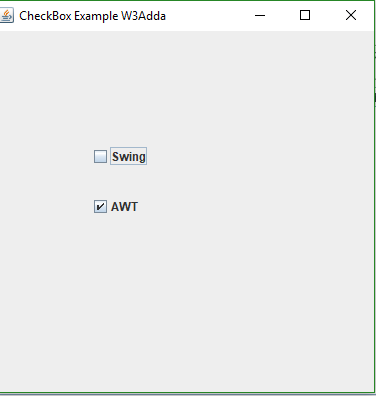
Output :-

Output of this code will look like below image. You just need to copy this code and paste it in you program.

image001

Swing JButton

Swing JButton

The Jbutton which is implementation of push button is used to create labelled button. On pressing it generate an event. The JButton inherits AbstractButton and implements Accessible.

Declaration of JButton class

JButton Constructor

Some of commonly used constructor are listed below.

JButton()

This constructor is used to creates a button with no set text and icon.

Syntax:-

JButton(String text)

This constructor is used to creates a button with text.

Syntax:-

JButton(Icon i)

If you want to set an Icon on your button so this constructor is used.

Syntax:-

JButton(String text, Icon i)

This constructor is used to creates a button with initial text and an icon.

Syntax:-

JButton(Action a)

This constructor is used to creates a button where properties are taken from the action supplied.

Syntax:-

Swing JButton Methods

Some of commonly used methods are listed below.

void setText(String text): This method is used to set Text on Button.

String getText(): This method is used to get Text of Button and return type is String.

void setEnabled(boolean b): This method is used to Enable and disable the Button.

void setIcon(Icon ic): This method is used to set icon on Button.

Icon getIcon(): This method is used to get Icon of Button.

void setMnemonic(int i): This method is used to set Mnemonic on the JButton.

AccessibleContext getAccessibleContext(): This method is used to get the AccessibleContext which is associated with JButton.

String getUIClassID(): This method specifies the name of the L&F class that renders this component and returns a String.

boolean isDefaultButton(): This method is used to get defaultButton property and returns boolean.

boolean isDefaultCapable: This method is used to get the value of the defaultCapable property and returns boolean.

protected String paramString(): This method is used to returns a string representation of this JButton.

void updateUI(): This method is used to resets the UI property.

JButton Inherited Methods

This class inherits methods from the following class:

  1. javax.swing.AbstractionButton.
    2. javax.swing.JComponent.
    3. java.awt.Container.
    4. java.awt.Component.
    5. java.lang.Object.

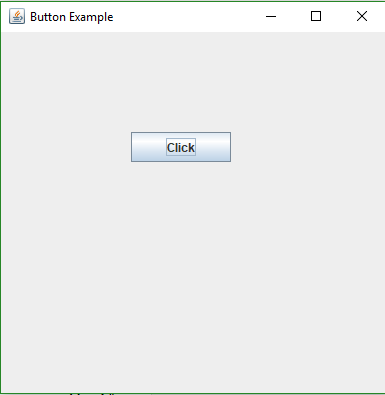
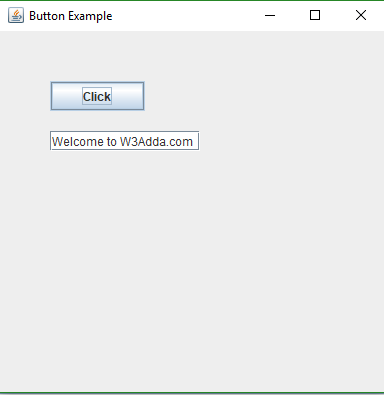
Lets understand it by an example. First we need to create a class like below code:

The output of this code will look like below Image

image001

Example of JButton with ActionListener : Lets write code for ActionListener of JButton

The Output of above example will look like below image

image003

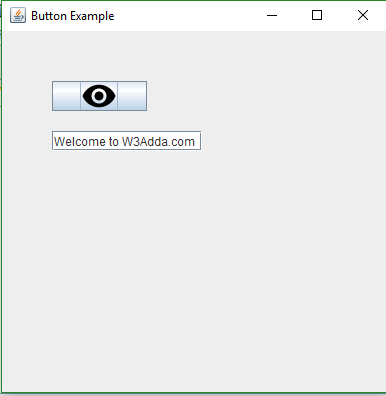
Example of JButton with Icon: Lets do coding for displaying icon on button

Output of this code will look like below image

image005