Category Archives: Blog

Blog

How to Fix “Port 4200 is already in use” error

How to Fix “Port 4200 is already in use” error

Sometimes when you running your node js application, you may “Port 4200 is already in use” error. This is mainly happens because of any other application running on the same port. In order to fix this error you can start your application on different port or you can terminate the existing application running on the same port. Instruction to terminate the running application are as below –

Open Command Prompt and type –

How to Fix "Port 4200 is already in use" error

Find the PID of the process that you want to terminate and then type –

This one 1800 is the PID for the process that I want to kill.

How to fix “module was compiled against different Node.js version” error

How to fix “module was compiled against different Node.js version” error

How to fix "module was compiled against different Node.js version" error

You need to remove the respective module folder (bcrypt) from the node_modules folder and install it again, using following commands –

Or you can simply rebuild the package and tell npm to update it’s binary too, use following single command to get it fixed –

Laravel 5.8 Ajax Form Submit With Validation

Laravel 5.8 Ajax Form Submit With Validation

In this tutorial you’ll learn to validate and submit form data without reloading or refreshing of page using ajax. In this tutorial I’ll show you step by step how to submit and validate form data without reloading or refreshing of page using ajax. Generally Form validation is performed at server side, but can be performed at both the server and client side. In this laravel form validation tutorial we will be learning about laravel server side validations. In this tutorial, I’ll show you how to define laravel validation rules, how to validate form input and to display validation errors using ajax. In Laravel, to submit form data using ajax we must have to incorporate csrf token with form data and set X-CSRF-TOKEN request header with ajax form submit request.

Before starting with example I assume that you already have fresh laravel 5.8 installation ready, if you have not installed it yet you can follow laravel 5 installation instruction here.

Create Model and Migration

Now, we have to define table schema for contact table. Open terminal and let’s run the following command to generate a Contact model along with a migration file to create contact table in our database.

Once this command is executed you will find a migration file created under “database/migrations”. Lets open migration file created and put following code in it –

Run Laravel Migration

Now, run following command to migrate database schema.

After, the migration executed successfully the contact table will be created in database.

Create Laravel Controller

Next, we have to create a controller to display contact form and to handle form validation and submit operations. Lets Create a controller named ContactController using command given below –

Once the above command executed, it will create a controller file ContactController.php in app/Http/Controllers/ajaxFormSubmitWithValidation directory.

Open the ajaxFormSubmitWithValidation/ContactController.php file and put the following code in it.

app/Http/Controllers/ajaxFormSubmitWithValidation/ContactController.php

In this controller, we have following methods –

index() :- To display form.

store() :- To validate and submit form data.

Create Laravel View Files

In this step, we will create laravel view/blade file to perform display form and to show errors if any. Lets create a blade file “contact_form.blade.php” in “resources/views/ajaxFormSubmitWithValidation/” directory and put the following code in it respectively.

resources/views/ajaxFormSubmitWithValidation/contact_form.blade.php

Define Laravel Route

After this, we need to define routes in “routes/web.php” file. Lets open “routes/web.php” file and add the following routes in it.

routes/web.php

Start Development Server

Now we are ready to run our example so lets start the development server using following artisan command –

Now, open the following URL in browser to see the output –

http://localhost:8000/ajax-form-submit-validation

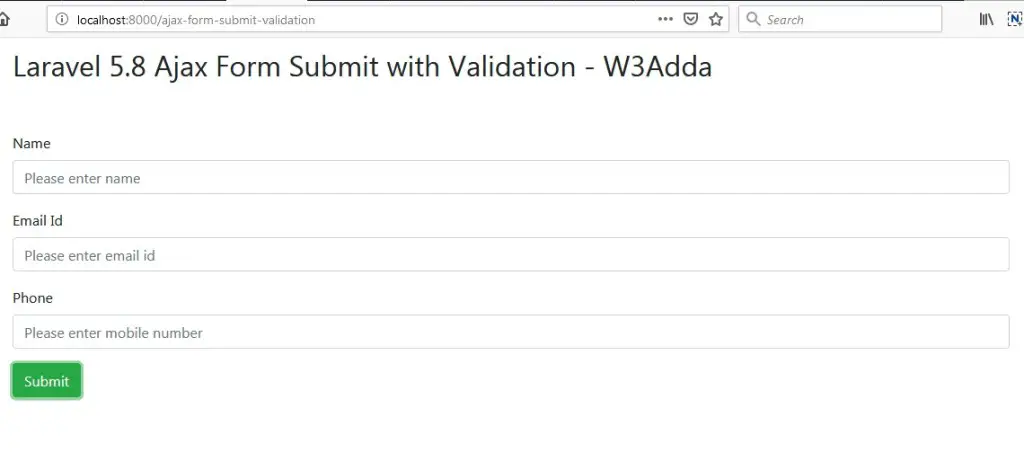
Output 1:-

laravel-5-8-ajax-form-submit-with-validation-1

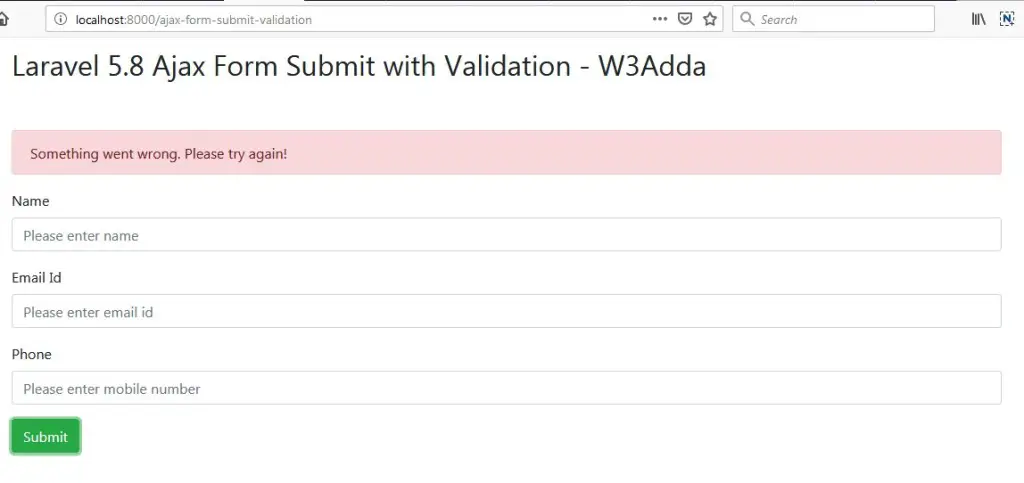
Output 2:-

Validate form data and display error messages.

laravel-5-8-ajax-form-submit-with-validation-2

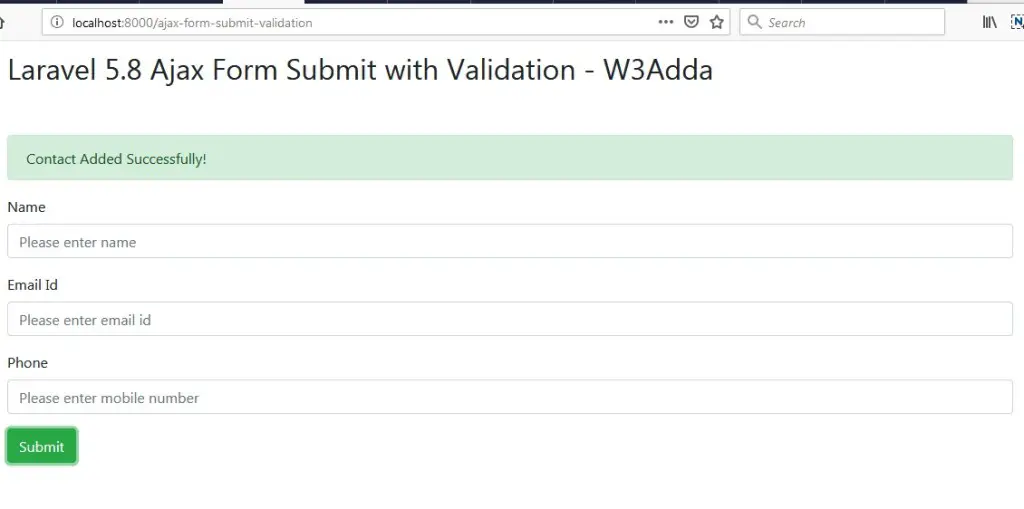
Output 3:-

Form data submitted successfully.

laravel-5-8-ajax-form-submit-with-validation-3

Laravel 5.7 Form Validation Rules By Example

Laravel 5.7 Form Validation Rules By Example

Form Input validation is a process where we check whether the input data provided by user or client is in correct format or not. Input validation is always a best practice to avoid potential errors.Generally Form validation is performed at server side, but can be performed at both the server and client side. In this laravel form validation tutorial we will be learning about laravel server side validations. In this tutorial, I’ll show you how to define laravel validation rules, how to validate form input and to display validation errors.

Laravel 5 comes many built-in validation rules that can be easily implemented. In this example, we have used some of following validation rules –

required:- It set input field is required.

min:- Validate minimum character length.

max:- Validate maximum character length.

email: It set input must be a valid email address.

unique: It checks for unique value against a database column.

numeric: Input value must numeric.

same:- It validates two input fields value must be same.

Before starting with example I assume that you already have fresh laravel 5.7 installation ready, if you have not installed it yet you can follow laravel 5 installation instruction here.

Create Laravel Controller

Next, we have to create a controller to display contact form and to handle form validation and submit operations. Lets Create a controller named FormValidationController using command given below –

Once the above command executed, it will create a controller file FormValidationController.php in app/Http/Controllers/formValidationExample directory.

Open the formValidationExample/FormValidationController.php file and put the following code in it.

app/Http/Controllers/formValidationExample/FormValidationController.php

In this controller, we have following methods –

index() :- To display form.

store() :- To validate and submit form data.

Create Laravel View Files

In this step, we will create laravel view/blade file to perform display form and to show errors if any. Lets create a blade file “index.blade.php” in “resources/views/formValidationExample/” directory and put the following code in it respectively.

resources/views/formValidationExample/index.blade.php

Define Laravel Route

After this, we need to define routes in “routes/web.php” file. Lets open “routes/web.php” file and add the following routes in it.

routes/web.php

Start Development Server

Now we are ready to run our example so lets start the development server using following artisan command –

Now, open the following URL in browser to see the output –

http://localhost:8000/laravel-form-validation-example

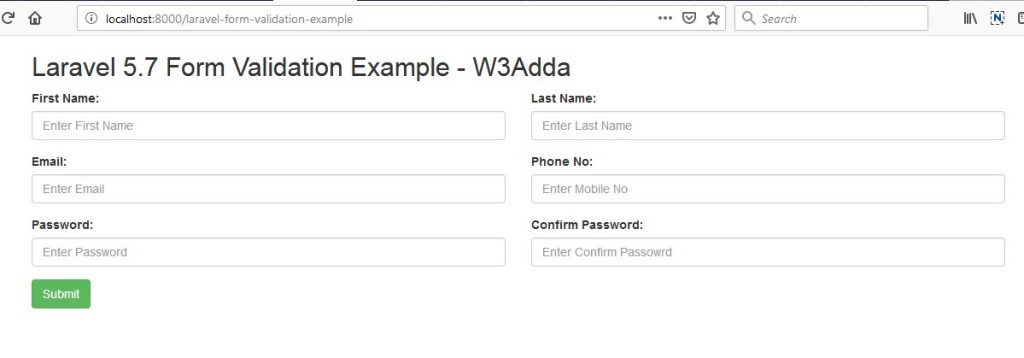
Output 1:-

laravel-5-7-form-validation-example-1

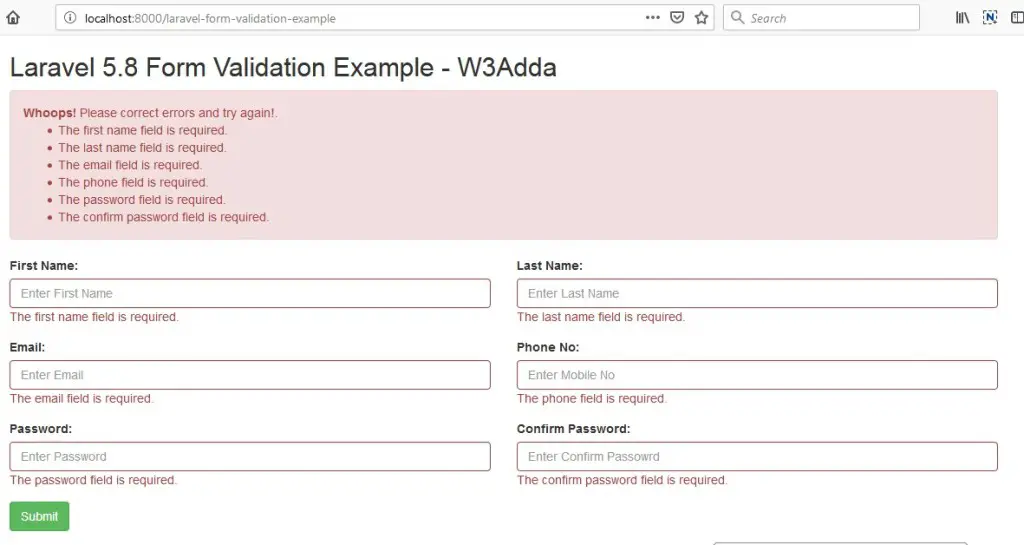
Output 2:-

Validate form data and display error messages.

laravel-5-7-form-validation-example-2

Output 3:-

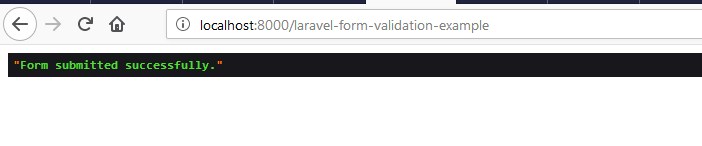
Form data submitted successfully.

laravel-5-7-form-validation-example-3

Laravel 5.8 Form Validation Tutorial With Example

Laravel 5.8 Form Validation Tutorial With Example

Form Input validation is a process where we check whether the input data provided by user or client is in correct format or not. Input validation is always a best practice to avoid potential errors.Generally Form validation is performed at server side, but can be performed at both the server and client side. In this laravel form validation tutorial we will be learning about laravel server side validations. In this tutorial, I’ll show you how to define laravel validation rules, how to validate form input and to display validation errors.

Laravel 5 comes many built-in validation rules that can be easily implemented. In this example, we have used some of following validation rules –

required:- It set input field is required.

min:- Validate minimum character length.

max:- Validate maximum character length.

email: It set input must be a valid email address.

unique: It checks for unique value against a database column.

numeric: Input value must numeric.

same:- It validates two input fields value must be same.

Before starting with example I assume that you already have fresh laravel 5.8 installation ready, if you have not installed it yet you can follow laravel 5.8 installation instruction here.

Create Laravel Controller

Next, we have to create a controller to display contact form and to handle form validation and submit operations. Lets Create a controller named FormValidationController using command given below –

Once the above command executed, it will create a controller file FormValidationController.php in app/Http/Controllers/formValidationExample directory.

Open the formValidationExample/FormValidationController.php file and put the following code in it.

app/Http/Controllers/formValidationExample/FormValidationController.php

In this controller, we have following methods –

index() :- To display form.

store() :- To validate and submit form data.

Create Laravel View Files

In this step, we will create laravel view/blade file to perform display form and to show errors if any. Lets create a blade file “index.blade.php” in “resources/views/formValidationExample/” directory and put the following code in it respectively.

resources/views/formValidationExample/index.blade.php

Define Laravel Route

After this, we need to define routes in “routes/web.php” file. Lets open “routes/web.php” file and add the following routes in it.

routes/web.php

Start Development Server

Now we are ready to run our example so lets start the development server using following artisan command –

Now, open the following URL in browser to see the output –

http://localhost:8000/laravel-form-validation-example

Output 1:-

laravel-5-8-form-validation-example-1

Output 2:-

Validate form data and display error messages.

laravel-5-8-form-validation-example-2

Output 3:-

Form data submitted successfully.

laravel-5-8-form-validation-example-3

Laravel 5.8 jQuery Ajax Form Submit

Laravel 5.8 jQuery Ajax Form Submit

In this Laravel jQuery Ajax Form Submit tutorial you’ll learn to submit form data without reloading or refreshing of page using ajax. In this tutorial I’ll show you step by step how to submit a form without reloading or refreshing of page using ajax. In this example we will be using jquery ajax submit handler for ajax form submission.

In Laravel, to submit form data using ajax we must have to incorporate csrf token with form data and set X-CSRF-TOKEN request header with ajax form submit request.

Before starting with example I assume that you already have fresh laravel 5.8 installation ready, if you have it installed then you can skip this step.

Create Laravel 5.8 Application

First of all we need to create a fresh laravel project, download and install Laravel 5.8 using the below command

Configure Database In .env file

Now, lets create a MySQL database and connect it with laravel application. After creating database we need to set database credential in application’s .env file.

.env

Generate Application Key

Open terminal and switch to the project directory and run the following command to generate application key and configure cache.

Set Default String Length

Locate the file “app/Providers/AppServiceProvider”, and add following line of code to the top of the file

and inside the boot method set a default string length as given below –

So this is how “app/Providers/AppServiceProvider” file looks like –

Create Model and Migration

Now, we have to define table schema for contact table. Open terminal and let’s run the following command to generate a Contact model along with a migration file to create contact table in our database.

Once this command is executed you will find a migration file created under “database/migrations”. Lets open migration file created and put following code in it –

Run Laravel Migration

Now, run following command to migrate database schema.

After, the migration executed successfully the contact table will be created in database.

Create Laravel View Files

In this step, we will create laravel view/blade file to display contact form and submit it using jquery ajax. Lets create a blade file “contact_form.blade.php” in “resources/views/ajaxFormSubmit/” directory.

Create bootstrap form In View File

Go to “contact_form.blade.php” in “resources/views/ajaxFormSubmit/” directory and put the following code in it to create a bootstrap form.

resources/views/ajaxFormSubmit/contact_form.blade.php

Add CSRF Meta Tag In View file

Laravel comes with a security mechanism called csrf token. In Laravel, each of the request is attached a csrf_token that is validated before can be processed. In order to submit form data using ajax, we must have to incorporate following meta tag in our view file.

Add jQuery In View file

Now, we need to include jquery library into our view file. Add the following line of code inside the head section of view file.

Create a submit handler function

Lets create an empty function to be executed when submit button is clicked. Add the following javascript code in view file at the end of the view file.

Set CSRF Token In jQuery Ajax Header :-

In order to submit form data using ajax, we must have to set X-CSRF-TOKEN request header with ajax form submit request.

Create $.ajax() function to submit form data :-

Now, we will add following code to submit form data using ajax inside submit handler function. Our final submit handler function will look like this –

Now our final view file will look like this –

resources/views/ajaxFormSubmit/contact_form.blade.php

Create Laravel Controller

Next, we have to create a controller to display contact form and to handle form validation and submit operations. Lets Create a controller named ContactController using command given below –

Once the above command executed, it will create a controller file ContactController.php in app/Http/Controllers/ajaxFormSubmit directory.

Open the ajaxFormSubmit/ContactController.php file and put the following code in it.

app/Http/Controllers/ajaxFormSubmit/ContactController.php

In this controller, we have following methods –

index() :- To display contact form.

store() :- To handle form submit request.

Define Laravel Route

After this, we need to define routes in “routes/web.php” file. Lets open “routes/web.php” file and add the following routes in it.

routes/web.php

Start Development Server

Now we are ready to run our example so lets start the development server using following artisan command –

Now, open the following URL in browser to see the output –

http://localhost:8000/jquery-ajax-form-submit

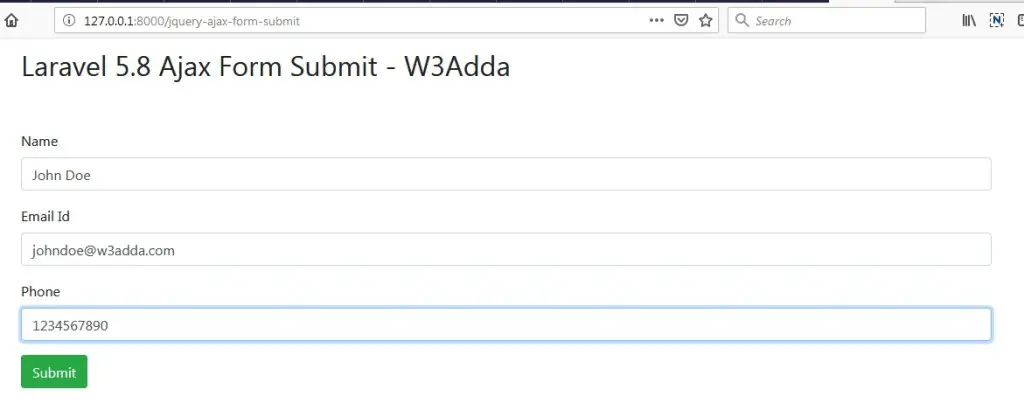
Output 1:-

laravel-5-8-jquery-ajax-form-submit-1-1

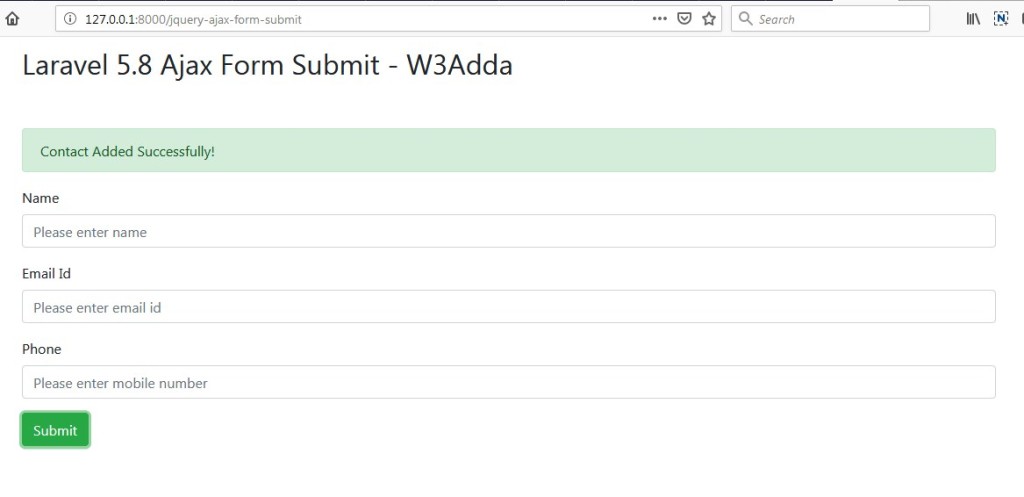
Output 2:-

Form data submitted successfully

laravel-5-8-jquery-ajax-form-submit-2-2

Laravel 5.8 jQuery Form Validation

Laravel 5.8 jQuery Form Validation

Input validation is a process where we check whether the input data provided by user or client is in correct format or not. If the input data fails to satisfy the validation rules then the user is responded with an error response code and the user is requested to resubmit the form with correct information. Generally Form validation is performed at server side, but can be performed at both the server and client side.

In this simple example, I’ll show you how to implement client side validation in laravel using Jquery Form Validation plugin. In this tutorial, you will learn to validate the form data in the client side before it is submitted to server. When the form data satisfies the validation it will submitted to server for further processing.

Create Laravel View Files

In this step, we will create laravel view/blade file to perform display form. Lets create a blade file “index.blade.php” in “resources/views/jqueryFormValidation/” directory and put the following code in it respectively.

resources/views/jqueryFormValidation/contact_form.blade.php

Load JS and CSS file

For that first, we need to load jQuery Form validation plugin along with jQuery to validate input fields and also use bootstrap css file.

Create Laravel Controller

Next, we have to create a controller to display contact form and to handle form validation and submit operations. Lets Create a controller named ContactController using command given below –

Once the above command executed, it will create a controller file ContactController.php in app/Http/Controllers/jqueryFormValidation directory.

Open the jqueryFormValidation/ContactController.php file and put the following code in it.

app/Http/Controllers/jqueryFormValidation/ContactController.php

Define Laravel Route

After this, we need to define routes in “routes/web.php” file. Lets open “routes/web.php” file and add the following routes in it.

routes/web.php

Start Development Server

Now we are ready to run our example so lets start the development server using following artisan command –

Now, open the following URL in browser to see the output –

http://localhost:8000/jquery-form-validation

Output 1:-

laravel-5-8-jquery-form-validation-1

Output 2:-

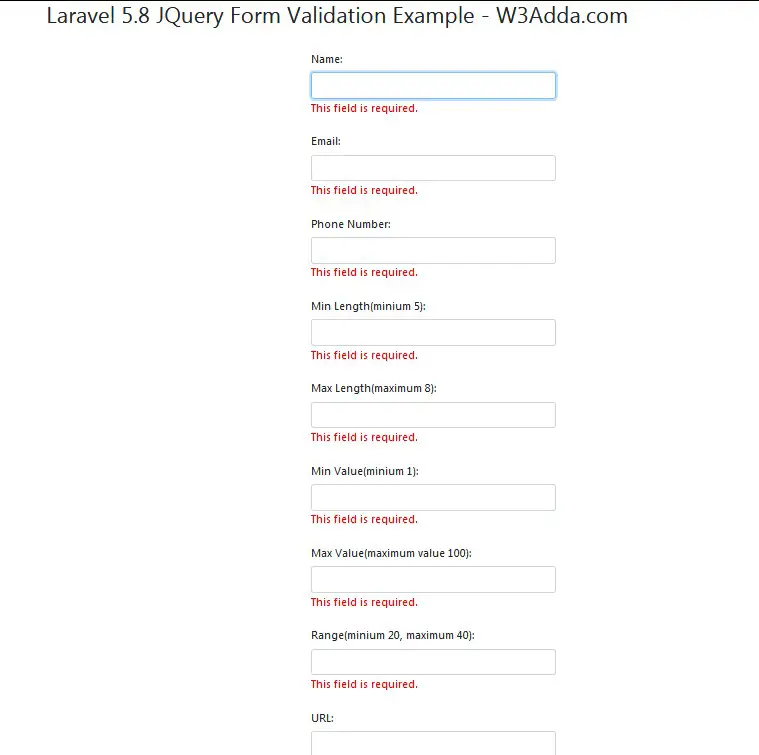
Validate form data and display error messages.

laravel-5-8-jquery-form-validation-2

Laravel 5 Fix Ajax Post 500 Internal Server Error

Laravel 5 Fix Ajax Post 500 Internal Server Error

Many times while trying to submit form data using ajax you encounter 500 internal server error, in most of the cases this happens due to not adding csrf_token with form data or not setting X-CSRF-TOKEN request header with ajax form submit request. In this tutorial, I’ll show you how to add CSRF Meta and Ajax Headers properly to avoid internal server error.

Add CSRF Meta and Set Ajax Headers

Laravel comes with a security mechanism called csrf token. In Laravel, each of the request is attached a csrf_token that is validated before can be processed. In order to submit form data using ajax, we must have to incorporate csrf token with form data and set X-CSRF-TOKEN request header with ajax form submit request. This CSRF Token can generated using csrf_token() helper of laravel 5.

Add CSRF Token In Meta tag :-

Set CSRF Token In jQuery Ajax Header :-

Laravel 5.8 jQuery Ajax Form Submit With Validation

Laravel 5.8 jQuery Ajax Form Submit With Validation

What Is Input Validation?

Input validation is a process where we check whether the input data provided by user or client is in correct format or not. If the input data fails to satisfy the validation rules then the user is responded with an error response code and the user is requested to resubmit the form with correct information. Generally Form validation is performed at server side, but can be performed at both the server and client side.

We will be using Jquery Form Validation plugin to validate the form in the client side, then input data is submitted to server where it will be validated against the server side validation rules.When the form data satisfies the validation at both the client and server side it will be inserted into the database.

Laravel Ajax Form Submit

In this Laravel jQuery Ajax Form Submit tutorial you’ll learn to validate and submit form data without reloading or refreshing of page using ajax. In this tutorial I’ll show you step by step how to submit a form without reloading or refreshing of page using ajax. In this example we will be using jquery form validation along with the jquery ajax submit handler for ajax form submission.

In this Laravel jQuery Ajax Form Submit example, I’ll show you how easily we can implement laravel validation with jquery ajax form submit request and can display laravel validation errors messages. In order to submit form data using ajax, we must have to incorporate csrf token with form data and set X-CSRF-TOKEN request header with ajax form submit request.

Before starting with example I assume that you already have fresh laravel 5.8 installation ready, if you have it installed then you can skip this step.

Create Laravel 5.8 Application

First of all we need to create a fresh laravel project, download and install Laravel 5.8 using the below command

Configure Database In .env file

Now, lets create a MySQL database and connect it with laravel application. After creating database we need to set database credential in application’s .env file.

.env

Generate Application Key

Open terminal and switch to the project directory and run the following command to generate application key and configure cache.

Set Default String Length

Locate the file “app/Providers/AppServiceProvider”, and add following line of code to the top of the file

and inside the boot method set a default string length as given below –

So this is how “app/Providers/AppServiceProvider” file looks like –

Create Model and Migration

Now, we have to define table schema for contact table. Open terminal and let’s run the following command to generate a Contact model along with a migration file to create contact table in our database.

Once this command is executed you will find a migration file created under “database/migrations”. Lets open migration file created and put following code in it –

Run Laravel Migration

Now, run following command to migrate database schema.

After, the migration executed successfully the contact table will be created in database.

Create Laravel Controller

Next, we have to create a controller to display contact form and to handle form validation and submit operations. Lets Create a controller named ContactController using command given below –

Once the above command executed, it will create a controller file ContactController.php in app/Http/Controllers/ajaxFormSubmitValidation directory.

Open the ajaxFormSubmitValidation/ContactController.php file and put the following code in it.

app/Http/Controllers/ajaxFormSubmitValidation/ContactController.php

In this controller, we have following methods –

index() :- To display contact form.

store() :- To validate and submit form data,

Create Laravel View Files

In this step, we will create laravel view/blade file to perform display contact form. Lets create a blade file “contact_form.blade.php” in “resources/views/ajaxFormSubmitValidation/” directory and put the following code in it respectively.

resources/views/ajaxFormSubmitValidation/contact_form.blade.php

Add CSRF Meta and Set Ajax Headers

Laravel comes with a security mechanism called csrf token. In Laravel, each of the request is attached a csrf_token that is validated before can be processed. In order to submit form data using ajax, we must have to incorporate csrf token with form data and set X-CSRF-TOKEN request header with ajax form submit request. This CSRF Token can generated using csrf_token() helper of laravel 5.

Add CSRF Token In Meta tag :-

Set CSRF Token In jQuery Ajax Header :-

Define Laravel Route

After this, we need to define routes in “routes/web.php” file. Lets open “routes/web.php” file and add the following routes in it.

routes/web.php

Start Development Server

Now we are ready to run our example so lets start the development server using following artisan command –

Now, open the following URL in browser to see the output –

http://localhost:8000/jquery-ajax-form-submit-validation

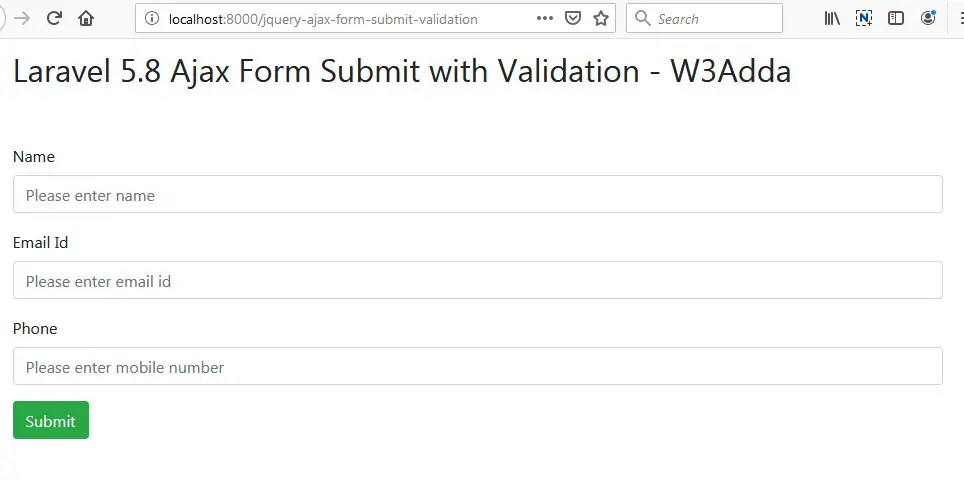
Output 1:-

laravel-5-8-jquery-ajax-form-submit-with-validation-1

Output 2:-

Validate form data and display error messages.

laravel-5-8-jquery-ajax-form-submit-with-validation-2

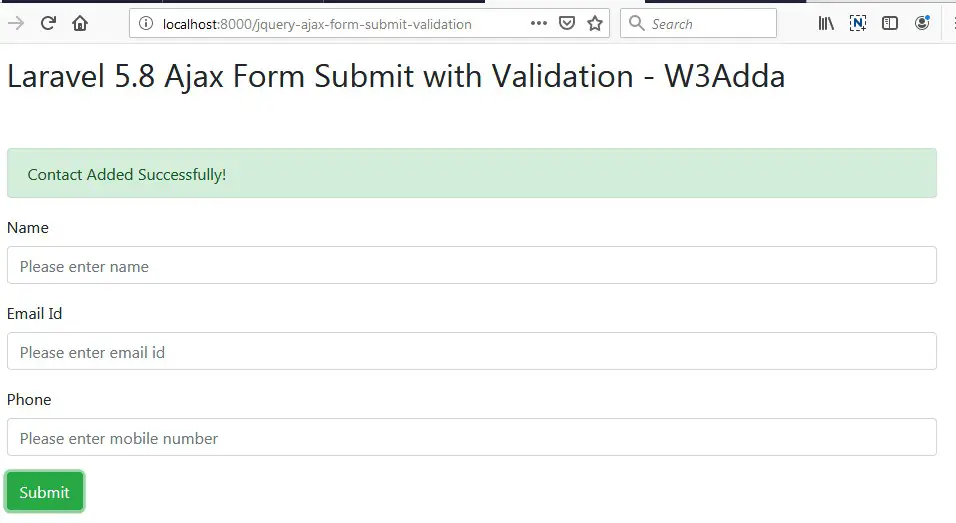
Output 3:-

Form data submitted successfully.

laravel-5-8-jquery-ajax-form-submit-with-validation-3

Laravel 5.8 Simple Ajax CRUD Application

Laravel 5.8 Simple Ajax CRUD Application

In this tutorial, you will learn to create a simple ajax based CRUD (Create, Read, Update and Delete) application. In this step by step guide, we will be creating a simple blog application with post table and implement ajax based CRUD operations.

Install Laravel 5.8 Using Command

First of all we need to create a fresh laravel project, download and install Laravel 5.8 using the below command

Configure Database In .env file

Now, lets create a MySQL database and connect it with laravel application. After creating database we need to set database credential in application’s .env file.

.env

Generate Application Key

Open terminal and switch to the project directory and run the following command to generate application key and configure cache.

Set Default String Length

Locate the file “app/Providers/AppServiceProvider”, and add following line of code to the top of the file

and inside the boot method set a default string length as given below –

So this is how “app/Providers/AppServiceProvider” file looks like –

Create Database Table and Migration

Now, we have to define table schema for posts table. Open terminal and let’s run the following command to generate a migration file to create posts table in our database.

Once this command is executed you will find a migration file created under “database/migrations”. lets open migration file and put following code in it –

Run Migration

Now, run following command to migrate database schema.

After, the migration executed successfully the posts table will be created in database along with migrations, password_resets and users table.

Create Model

Next, we need to create a model called Post using below command.

Once, the above command is executed it will create a model file Post.php in app directory. Next, we have to assign fillable fields using fillable property inside Post.php file. Open app/Post.php file and put the following code in it –

app/Post.php

Create Controller Using Command

Next, we have to create a controller to handle Ajax CRUD Operations. Create a controller named AjaxPostController using command given below –

Once the above command executed, it will create a controller file AjaxPostController.php in app/Http/Controllers/ajaxcrud directory. Open the ajaxcrud/AjaxPostController.php file and put the following code in it.

app/Http/Controllers/dtable/AjaxPostController.php

Create Blade / View Files

In this step, we will create view/blade file to perform CRUD Operations. Lets create a blade file “index.blade.php” in “resources/views/ajaxcrud/” directory and put the following code in it respectively.

resources/views/ajaxcrud/index.blade.php

Create Resource Routes

After this, we need to add a resource route in “routes/web.php“. Lets open “routes/web.php” file and add following route.

routes/web.php

Start Development Server

Now we are ready to run our example so lets start the development server using following artisan command –

Now, open the following URL in browser to see the output –

http://localhost:8000/ajax-posts

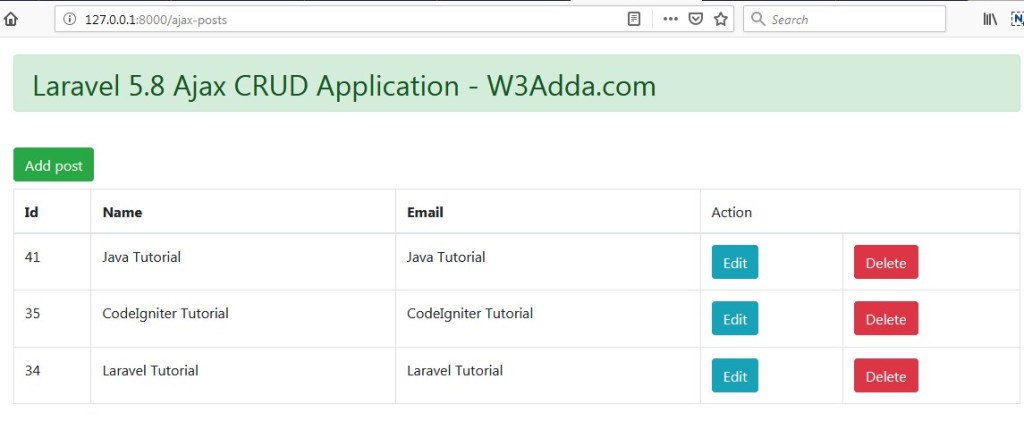
Output:-

laravel-5-8-ajax-crud-application-2

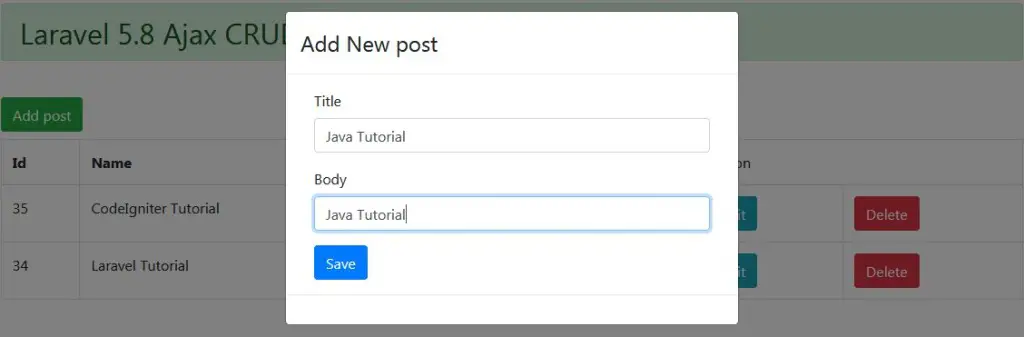
Click “Add New Post” to submit new post.

laravel-5-8-ajax-crud-application-1

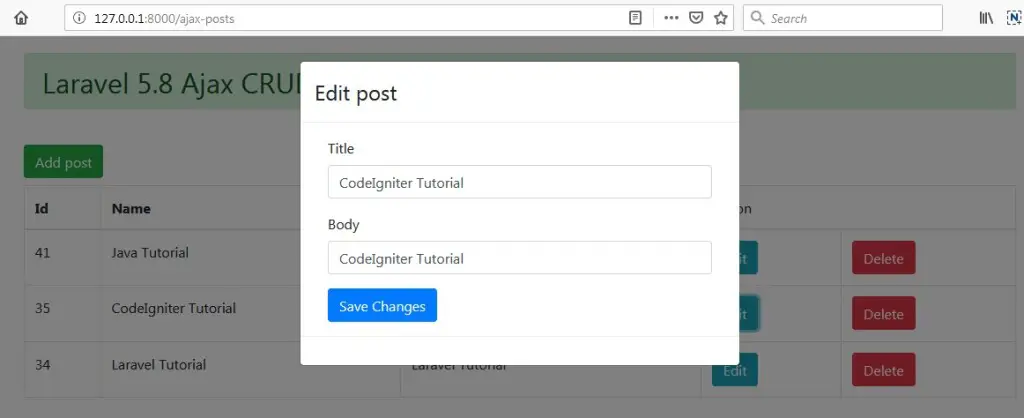
Click “Edit” button to edit corresponding post.
laravel-5-8-ajax-crud-application-3

Click “Delete” button to delete corresponding post.

Laravel 5.8 Ajax CRUD Using Datatables

Laravel 5.8 Ajax CRUD Using Datatables

In this tutorial, you will learn to implement ajax based CRUD (Create, Read, Update and Delete) operations using datatable js. In this tutorial, we will be using yajra datatable package for listing of records with pagination, sorting and filter (search) feature.

In this step by step guide, we will be creating a simple laravel 5.8 application to demonstrate you how to install yajra datatable package and implement ajax based CRUD operations with datatable js.

Install Laravel 5.8

First of all we need to create a fresh laravel project, download and install Laravel 5.8 using the below command

Configure Database In .env file

Now, lets create a MySQL database and connect it with laravel application. After creating database we need to set database credential in application’s .env file.

.env

Generate Application Key

Open terminal and switch to the project directory and run the following command to generate application key and configure cache.

Set Default String Length

Locate the file “app/Providers/AppServiceProvider”, and add following line of code to the top of the file

and inside the boot method set a default string length as given below –

So this is how “app/Providers/AppServiceProvider” file looks like –

Create Database Table

Now, we have to define table schema for posts table. Open terminal and let’s run the following command to generate a migration file to create posts table in our database.

Once this command is executed you will find a migration file created under “database/migrations”. lets open migration file and put following code in it –

Run Migration

Now, run following command to migrate database schema.

After, the migration executed successfully the posts table will be created in database along with migrations, password_resets and users table.

Create Model

Next, we need to create a model called Post using below command.

Once, the above command is executed it will create a model file Post.php in app directory. Next, we have to assign fillable fields using fillable property inside Post.php file. Open app/Post.php file and put the following code in it –

app/Post.php

Install Yajra Datatable Package

In this step, we will install Yajra Datatables Package via the composer dependency manager. Use the following command to install Yajra Datatables Package.

After Installing Yajra Datatables package, we need to add service provider and alias in config/app.php file as following.

config/app.php

Create Controller

Next, we have to create a controller to handle Ajax CRUD Operations. Create a controller named AjaxCrudController using command given below –

Once the above command executed, it will create a controller file AjaxCrudController.php in app/Http/Controllers/dtable directory. Open the dtable/AjaxCrudController.php file and put the following code in it.

app/Http/Controllers/dtable/AjaxCrudController.php

Create Blade / View Files

In this step, we will create view/blade file to perform CRUD Operations. Lets create a blade file “index.blade.php” in “resources/views/dtable/” directory and put the following code in it respectively.

resources/views/dtable/index.blade.php

Create Routes

After this, we need to add following routes in “routes/web.php” file along with a resource route. Lets open “routes/web.php” file and add following route.

routes/web.php

Now we are ready to run our example so lets start the development server using following artisan command –

Now, open the following URL in browser to see the output –

http://localhost:8000/dtable-posts

Output:-

laravel-5-8-ajax-crud-using-datatanles-3Click “Add New Post” to submit new post.

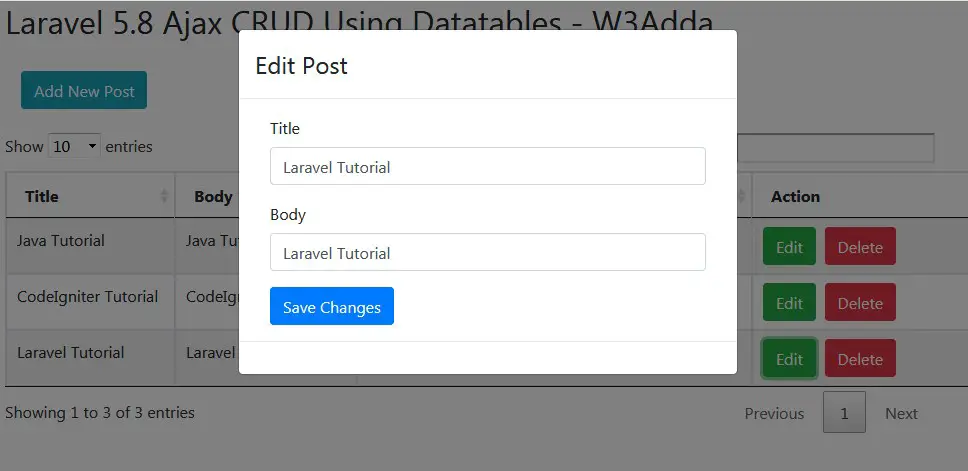
laravel-5-8-ajax-crud-using-datatanles-1Click “Edit” button to edit corresponding post.

laravel-5-8-ajax-crud-using-datatanles-2

Click “Delete” button to delete corresponding post.

Laravel 5.8 Installation

Laravel 5.8 Installation

Download and install Laravel 5.8 using the below command. Make sure you have composer installed.

Now, lets switch to the project directory and start the development server using following artisan command –

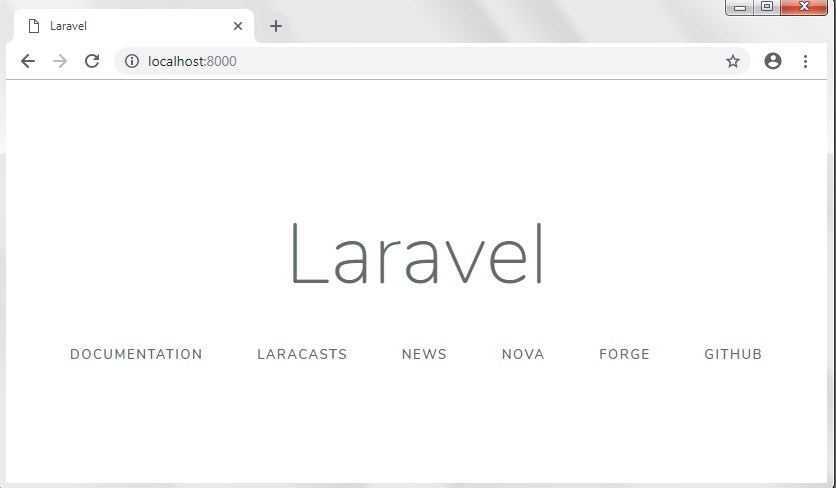
Now, open the following URL in browser to see the output –

http://localhost:8000/

Output:-

laravel-5-7-crud-tutorial-with-example-2

In case if you get RuntimeException No application encryption key has been specified error, please follow instruction given below to generate application key –

Generate Application Key

Open terminal and switch to the project directory and run the following command to generate application key and configure cache.

Connecting Laravel with MySQL Database

In order to connect your laravel application to a MySQL database. Lets create a MySQL database set database credential in application’s .env file.

.env

Migrations

Before we run “php artisan migrate” command, location the file “app/Providers/AppServiceProvider” file, and add following line of code in the top of the file

and inside the boot method set a default string length as given below –

So this is how your “app/Providers/AppServiceProvider” file looks like –

After installing laravel, some default migration files are created inside “database/migrations” directory. Now, lets run the “php artisan migrate” command for creating default create users table and password reset table.

Restart Development Server

Restart the development server using following artisan command –

Now, visit the following URL in browser to see the output –

http://localhost:8000/

Output:-

laravel-5-7-crud-tutorial-with-example-2