Category Archives: Laravel

Laravel Tutorials

Laravel Clear Cache Using Artisan Command

Larave Clear Cache Using Artisan Command

In this laravel clear cache tutorial, I’ll show you various artisan commands to clear laravel cache of different types. You will also learn to clear cache on share hosting.

In Laravel, while developing a laravel application it is very often that changes we made are not reflecting. This is usually happens because of the laravel cache. Laravel provides various caching systems for developing fast loading laravel applications.

In this laravel clear cache example, we will learn to clear cache from command line (CLI), we will see how to clear cache from blade (views), routes,config etc using the command line and artisan command.

Useful Laravel Clear Cache commands

Here, we will discuss about various artisans commands used to clear different laravel cache in laravel applications.

Laravel Clear App Cache

To clear laravel application cache use the php artisan cache:clear artisan command as given below :

Laravel Clear route cache

To clear route cache in laravel use the php artisan route:clear artisan command as given below :

Laravel Clear config cache

To clear config cache in laravel use the php artisan config:cache artisan command as given below :

Laravel Clear View Cache

To clear compiled view files cache in laravel use the php artisan view:clear artisan command as given below :

Laravel Reoptimized Class

Use the following laravel command to Reoptimized Class In laravel :

Laravel Clear Cache On Shared Host

Most of the times in shared hosting servers we don’t have SSH access to the server. In that case, to clear laravel cache we have define routes in our application’s routes/web.php file that invoke the various laravel clear cache commands. This way we can clear Laravel cache by accessing specific routes in the browser.

Laravel Clear Route Cache from Browser

Laravel Clear Config Cache from Browser

Laravel Clear Application Cache from Browser

Laravel Clear View Cache from Browser

Laravel Simple Qr Code Generator Example

In this article, I’ll show you how to generate qr codes with any text, size, color, background color, format like png, eps, svg. In this laravel qr code example, we will be using simple-qrcode package to generate QR codes.The simple-qrcode package is used to generate qr code in your laravel application. The simple-qrcode package has many options for creating qr codes. You can also create qr code for geo, phone number, text message using simple qrcode package. The simple-qrcode package is very easy to install and use.

Before starting with example I assume that you already have fresh laravel 5.8 installation ready, if you have not installed it yet you can follow laravel 5 installation instruction here.

Install Laravel 5.8

First of all we need to create a fresh laravel project, download and install Laravel 5.8 using the below command

Install simple-qrcode Package

In this step, we will install simple-qrcode Package via the composer dependency manager. Use the following command to install simple-qrcode Package.

Register Package

After Installing simple-qrcode package, we need to add service provider and alias in config/app.php file as following.

config/app.php

Basic Usage Of simple-qrcode Package

Qr code with specified string can be generated as follows –

Syntax:-

Simple QR Code :-

Simple Qr code with specified string can be generated using generate() method. Add a simple-qr-code route to your routes/web.php file to return simple QR code as follows –

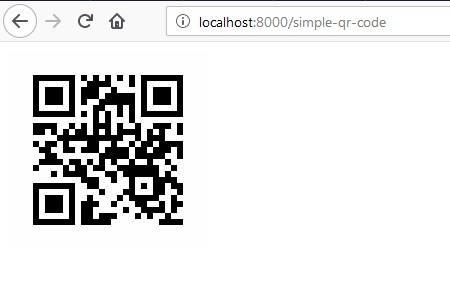
Here, size() function is used to specify the size of the QR Code. Visit (http://localhost:8000/simple-qr-code) to see the QR code. Scan the QR code and you will see the text. You can also display the QR code in Blade file as follows –

QR Code with Color :-

You can also set color for QR code pattern and the background using color(R, G, B) and backgroundColor(R, G, B) methods.

Add a color-qr-code route to your routes/web.php file to return colored QR code as follows –

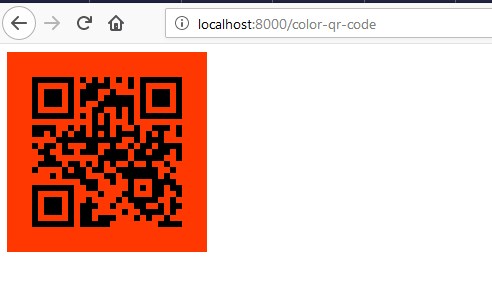
Visit (http://localhost:8000/color-qr-code) to see the colored QR code. Or you can simply display the colored QR code in Blade file as follows –

QR Code with Image :-

You can also place an image in QR code using the merge(“file_name.png”) method, this method only accept png files and you also need to format the response back to png.

Add a qr-code-with-image route to your routes/web.php file to return QR code with image as follows –

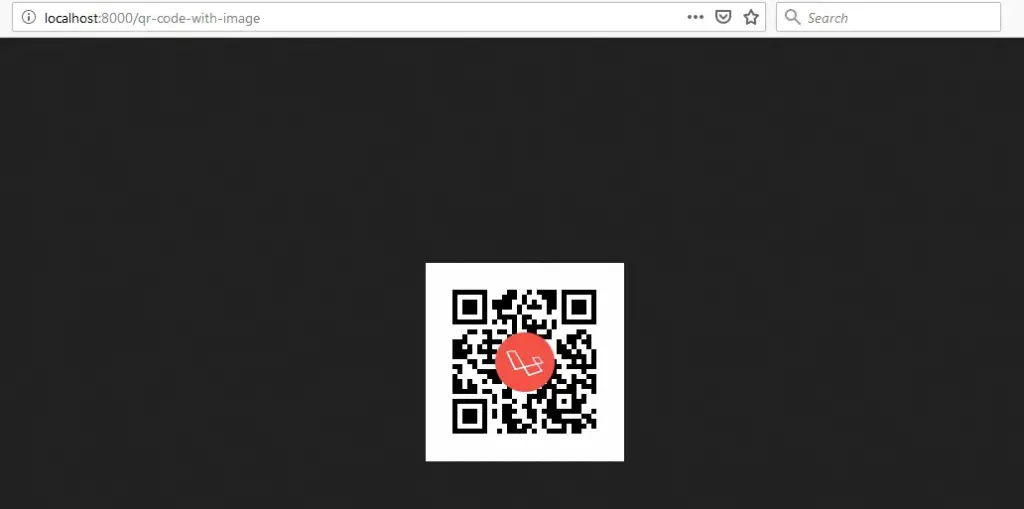
Visit (http://localhost:8000/qr-code-with-image) to see the QR code with Image merged. Or you can simply display the QR code with Image in Blade file using <img> tag as follows –

Email QR code :-

You can encode QR codes that automatically fill-in email address, subject and body of the email.

Syntax:-

Example:-

QR Code Phone Number :-

You can encode QR codes such that it automatically open up the phone dialer and dial the phone number.

Syntax:-

Example:-

QR Code Text Message :-

You can encode QR codes such that it automatically open up the phone messenger and fill-in phone number or the message body.

Syntax:-

Example:-

QR Code Geo co-ordinates :-

You can encode QR codes such that it automatically open up map application with the specified location.

Syntax:-

Example:-

Create Blade / View Files

In this step, we will create view/blade file to generate and display QR Codes. Lets create a blade file “index.blade.php” in “resources/views/qrcode/” directory and put the following code in it respectively.

resources/views/qrcode/index.blade.php

Create Routes

After this, we need to add following routes in “routes/web.php” file along with a resource route. Lets open “routes/web.php” file and add following route.

routes/web.php

Now we are ready to run our example so lets start the development server using following artisan command –

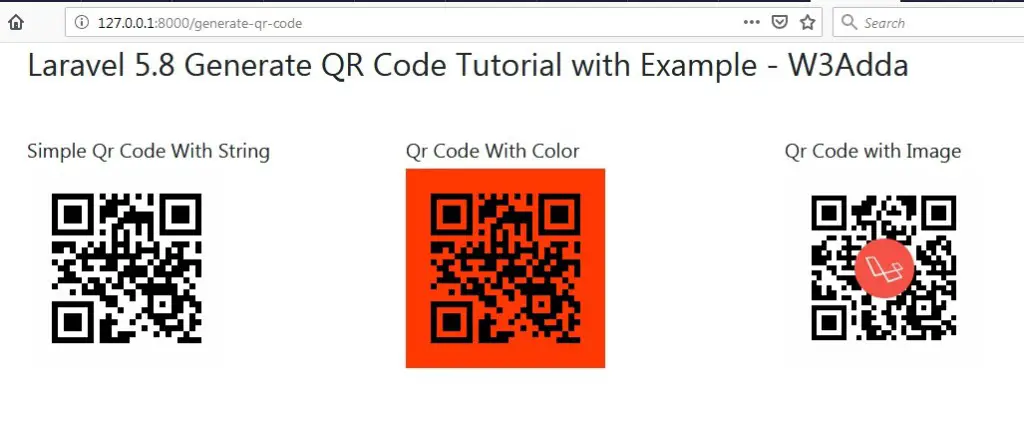
Now, open the following URL in browser to see the output –

http://localhost:8000/generate-qr-code

Output:-

laravel-5-8-generate-qr-code-tutorial-1

http://localhost:8000/simple-qr-code

Output:-

laravel-5-8-generate-simple-qr-code

http://localhost:8000/color-qr-code

Output:-

laravel-5-8-generate-color-qr-code

http://localhost:8000/qr-code-with-image

Output:-

laravel-5-8-generate-qr-code-with-image

Laravel Custom Datatables filter and Search

In this tutorial, I’ll show you how to add custom search or data filter to datatables. In this tutorial, we will be using yajra datatable package for listing of records with pagination, sorting and filter (search) feature. Laravel Yajra datatables package comes with many built-in features for searching and sorting functionality. In this article you will learn to add custom field for searching data without reloading or refreshing of page.

Before starting with example I assume that you already have fresh laravel 5.8 installation ready, if you have not installed it yet you can follow laravel 5 installation instruction here.

Install Laravel 5.8

First of all we need to create a fresh laravel project, download and install Laravel 5.8 using the below command

Configure Database In .env file

Now, lets create a MySQL database and connect it with laravel application. After creating database we need to set database credential in application’s .env file.

.env

Generate Application Key

Open terminal and switch to the project directory and run the following command to generate application key and configure cache.

Set Default String Length

Locate the file “app/Providers/AppServiceProvider”, and add following line of code to the top of the file

and inside the boot method set a default string length as given below –

So this is how “app/Providers/AppServiceProvider” file looks like –

Create Database Table

Now, we have to define table schema for posts table. Open terminal and let’s run the following command to generate a migration file to create posts table in our database.

Once this command is executed you will find a migration file created under “database/migrations”. lets open migration file and put following code in it –

Run Migration

Now, run following command to migrate database schema.

After, the migration executed successfully the posts table will be created in database along with migrations, password_resets and users table.

Create Model

Next, we need to create a model called Post using below command.

Once, the above command is executed it will create a model file Post.php in app directory. Next, we have to assign fillable fields using fillable property inside Post.php file. Open app/Post.php file and put the following code in it –

app/Post.php

Install Yajra Datatable Package

In this step, we will install Yajra Datatables Package via the composer dependency manager. Use the following command to install Yajra Datatables Package.

After Installing Yajra Datatables package, we need to add service provider and alias in config/app.php file as following.

config/app.php

Create Controller

Next, we have to create a controller to handle Ajax CRUD Operations. Create a controller named AjaxCrudController using command given below –

Once the above command executed, it will create a controller file AjaxCrudController.php in app/Http/Controllers/dtable directory. Open the dtable/AjaxCrudController.php file and put the following code in it.

app/Http/Controllers/dtable/AjaxCrudController.php

Create Blade / View Files

In this step, we will create view/blade file to perform CRUD Operations. Lets create a blade file “custom_filter.blade.php” in “resources/views/dtable/” directory and put the following code in it respectively.

resources/views/dtable/custom_filter.blade.php

Create Routes

After this, we need to add following routes in “routes/web.php” file along with a resource route. Lets open “routes/web.php” file and add following route.

routes/web.php

Now we are ready to run our example so lets start the development server using following artisan command –

Now, open the following URL in browser to see the output –

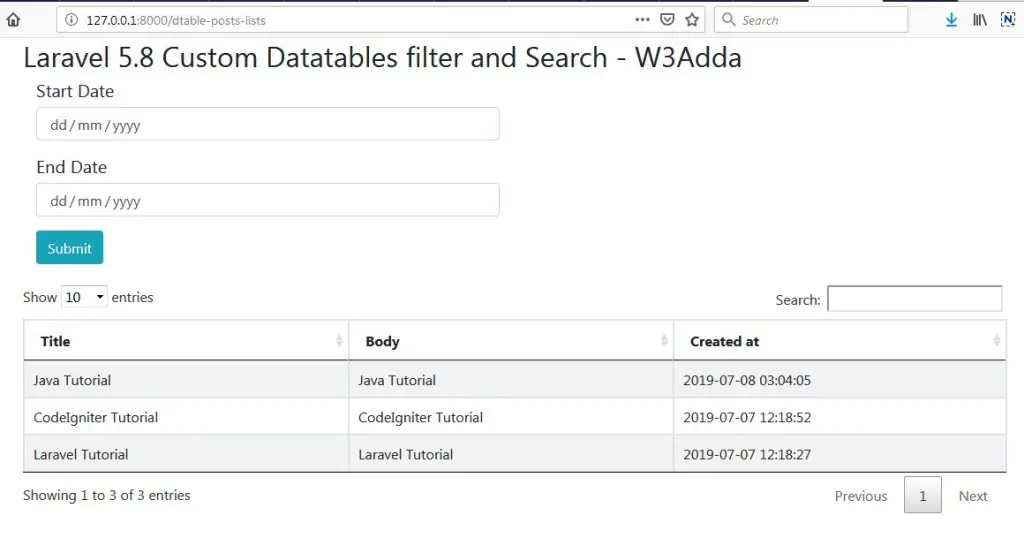
http://localhost:8000/dtable-posts-lists

Output 1:-

laravel-5-8-custom-datatables-filter-and-search-1

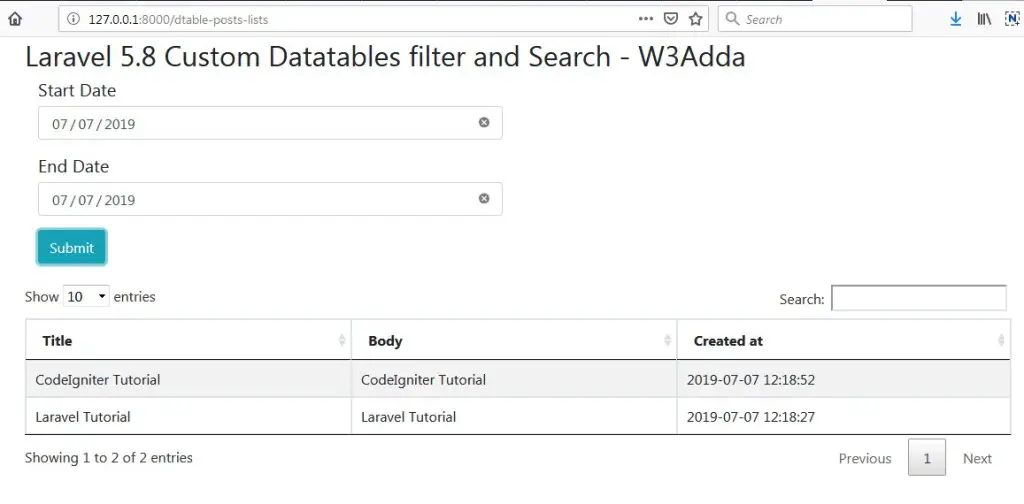
Output 2:-

Select “Start Date” and “End Date” and hit Submit button to display corresponding posts.

laravel-5-8-custom-datatables-filter-and-search-2

How to Get Site URL In Laravel

How to Get Site URL In Laravel

In this article, I’ll show you how to get site url in your laravel controller, blade file, model etc. Many times in laravel application development we need to get base url of our laravel application. There follwoing ways we can get site url in our laravel 5 application. In laravel 5 we can get site url or base url using url helper and url facade.

Get Site url Using URL Helper

Syntax:-

Example :-

or

Get Site url Using URL Facade

Syntax:-


Example:-

Laravel 5.8 Razorpay Payment Gateway Integration

Laravel 5.8 Razorpay Payment Gateway Integration

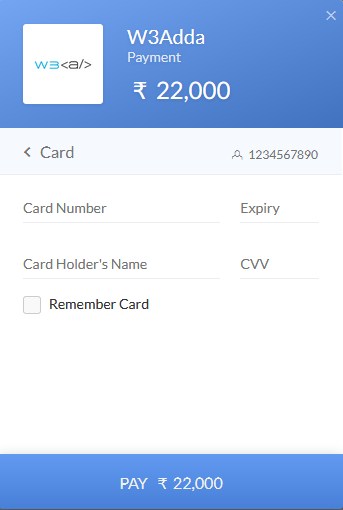
In this tutorial, you will learn to integrate Razorpay payment gateway in your laravel 5.8 project. Before starting with this tutorial you would require a Razorpay developer account, from there you will get the api key and secret key require for the integration. After the successful integration you will be able to collect payment via simple payment form which allow customer to provide card information like card number, expiry date and a CVC code. Follow this step by step tutorial to learn Razorpay payment gateway integration in laravel 5.8.

Install Laravel 5.8

First of all we need to create a fresh laravel project, download and install Laravel 5.8 using the below command

Configure Database In .env file

Now, lets create a MySQL database and connect it with laravel application. After creating database we need to set database credential in application’s .env file.

.env

Generate Application Key

Open terminal and switch to the project directory and run the following command to generate application key and configure cache.

Set Default String Length

Locate the file “app/Providers/AppServiceProvider”, and add following line of code to the top of the file

and inside the boot method set a default string length as given below –

So this is how “app/Providers/AppServiceProvider” file looks like –

Create Model and Migration

Now, we require to create a Payment tables to keep the payment records. so let’s run the following command to generate Payment model along with a migration file to create Payment table in our database.

Once the above command is executed a migration file Payments.php file is created, open the database/migrations/Payments.php file and put the following code in it.

Now, use the command to run migration –

Create Routes

After this, we need to add following routes in “routes/web.php” to display product listing, to store payment form and to payment acknowledgement. Lets open “routes/web.php” file and add following route.

routes/web.php

Here, first route is for product listing, second is to store payments_id and users information provided by razorpay payment gateway.

Create Controller

Next, we have to create a controller to handle payments. Create a controller named RazorpayController using command given below –

Once the above command executed, it will create a controller file PaymentController.php in app/Http/Controllers/razorpay directory. Open the razorpay/PaymentController.php file and put the following code in it.

app/Http/Controllers/razorpay/PaymentController.php

In this controller, we have following methods –

show_products() :- It lists Store Items

pay_success() :- To handle payment

thank_you() :- Payment Acknowledgement

Create Blade / View Files

In this step, we will create view/blade file to accept razorpay payment. Lets create two blade files “payment.blade.php” and “thankyou.blade.php” in “resources/views/razorpay/” directory and put the following code in it respectively.

resources/views/razorpay/payment.blade.php

You must replace secret key that you get from razorpay payment gateway here –

resources/views/razorpay/thankyou.blade.php

Now we are ready to run our example so lets start the development server using following artisan command –

Now, open the following URL in browser to see the output –

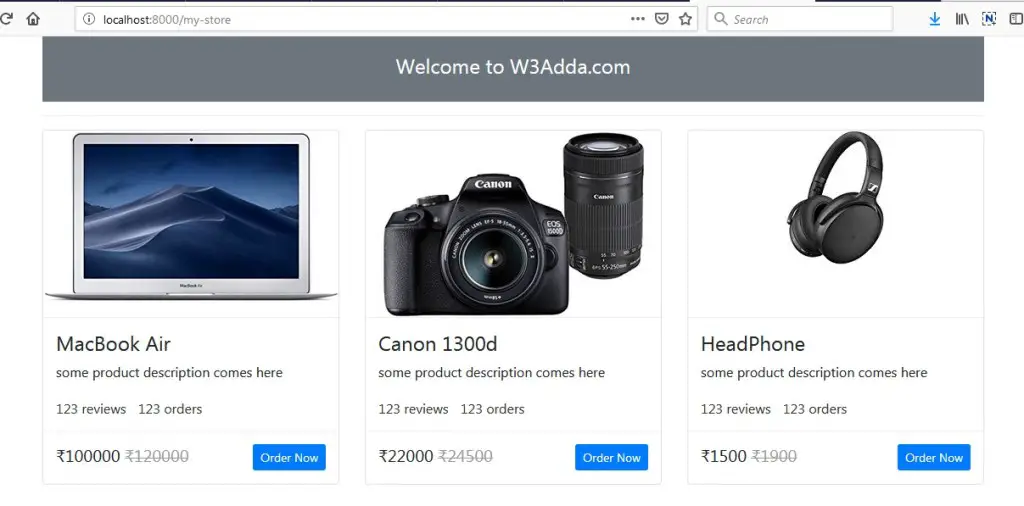
http://localhost:8000/my-store

Output:-

laravel-5-8-razorpay-payment-gateway-integration-1

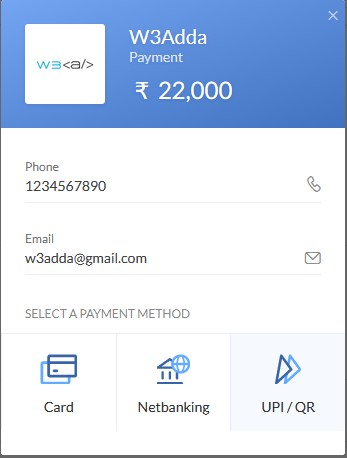
Click “Order Now” for any product of your choice

laravel-5-8-razorpay-payment-gateway-integration-2

laravel-5-8-razorpay-payment-gateway-integration-3

Use the following test card details to test the payment.

Test Credit Card Info :-

Card No :- 4242424242424242 / 4012888888881881
Month :- Any future month
Year :- Any future Year
CVV :- Any 3 digit Number

Laravel 5.8 Ajax Form Submit With Validation

Laravel 5.8 Ajax Form Submit With Validation

In this tutorial you’ll learn to validate and submit form data without reloading or refreshing of page using ajax. In this tutorial I’ll show you step by step how to submit and validate form data without reloading or refreshing of page using ajax. Generally Form validation is performed at server side, but can be performed at both the server and client side. In this laravel form validation tutorial we will be learning about laravel server side validations. In this tutorial, I’ll show you how to define laravel validation rules, how to validate form input and to display validation errors using ajax. In Laravel, to submit form data using ajax we must have to incorporate csrf token with form data and set X-CSRF-TOKEN request header with ajax form submit request.

Before starting with example I assume that you already have fresh laravel 5.8 installation ready, if you have not installed it yet you can follow laravel 5 installation instruction here.

Create Model and Migration

Now, we have to define table schema for contact table. Open terminal and let’s run the following command to generate a Contact model along with a migration file to create contact table in our database.

Once this command is executed you will find a migration file created under “database/migrations”. Lets open migration file created and put following code in it –

Run Laravel Migration

Now, run following command to migrate database schema.

After, the migration executed successfully the contact table will be created in database.

Create Laravel Controller

Next, we have to create a controller to display contact form and to handle form validation and submit operations. Lets Create a controller named ContactController using command given below –

Once the above command executed, it will create a controller file ContactController.php in app/Http/Controllers/ajaxFormSubmitWithValidation directory.

Open the ajaxFormSubmitWithValidation/ContactController.php file and put the following code in it.

app/Http/Controllers/ajaxFormSubmitWithValidation/ContactController.php

In this controller, we have following methods –

index() :- To display form.

store() :- To validate and submit form data.

Create Laravel View Files

In this step, we will create laravel view/blade file to perform display form and to show errors if any. Lets create a blade file “contact_form.blade.php” in “resources/views/ajaxFormSubmitWithValidation/” directory and put the following code in it respectively.

resources/views/ajaxFormSubmitWithValidation/contact_form.blade.php

Define Laravel Route

After this, we need to define routes in “routes/web.php” file. Lets open “routes/web.php” file and add the following routes in it.

routes/web.php

Start Development Server

Now we are ready to run our example so lets start the development server using following artisan command –

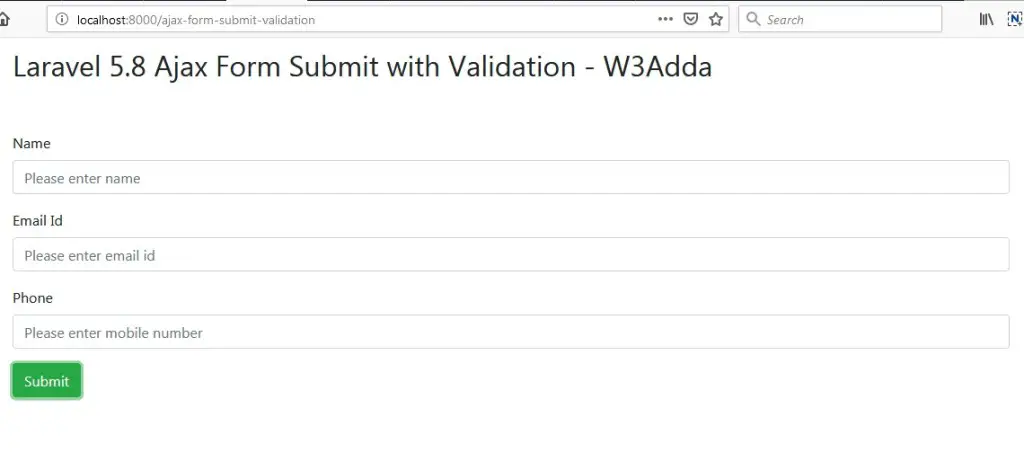
Now, open the following URL in browser to see the output –

http://localhost:8000/ajax-form-submit-validation

Output 1:-

laravel-5-8-ajax-form-submit-with-validation-1

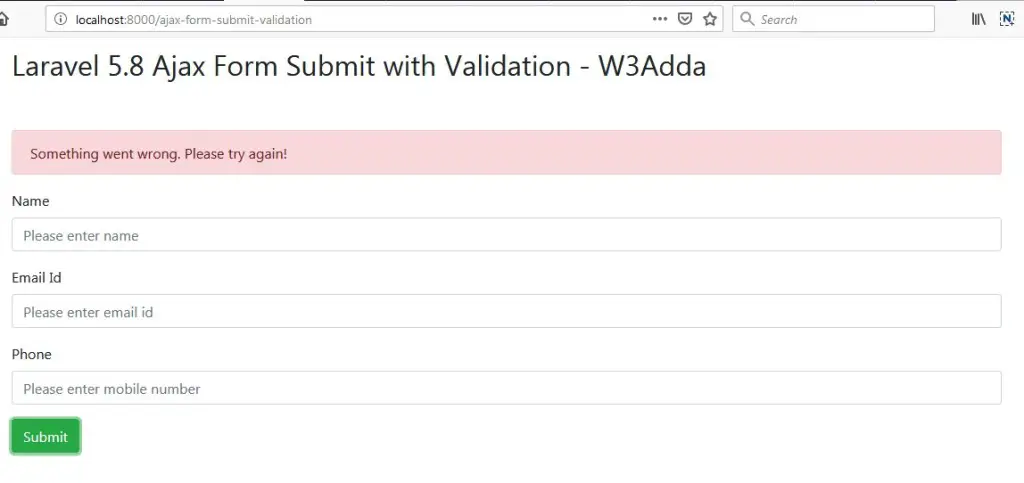
Output 2:-

Validate form data and display error messages.

laravel-5-8-ajax-form-submit-with-validation-2

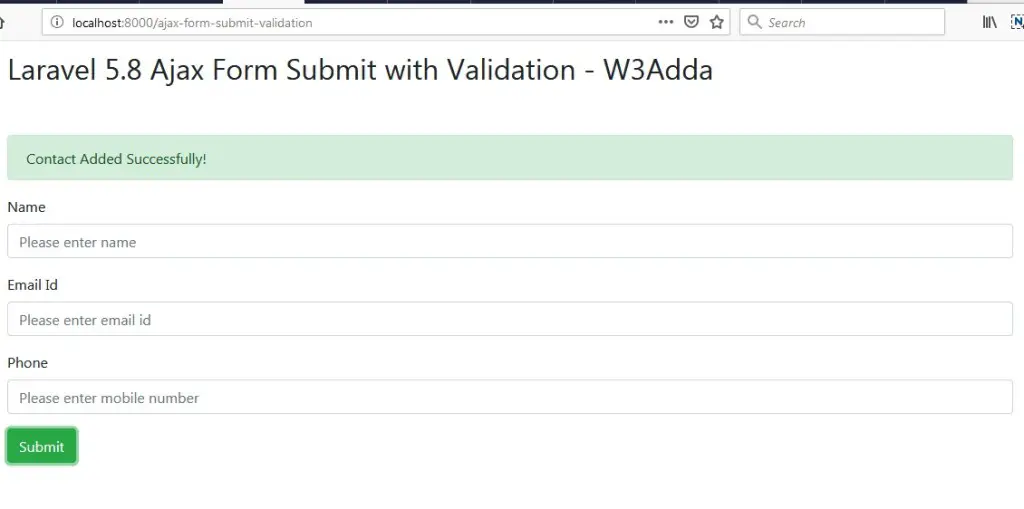
Output 3:-

Form data submitted successfully.

laravel-5-8-ajax-form-submit-with-validation-3

Laravel 5.7 Form Validation Rules By Example

Laravel 5.7 Form Validation Rules By Example

Form Input validation is a process where we check whether the input data provided by user or client is in correct format or not. Input validation is always a best practice to avoid potential errors.Generally Form validation is performed at server side, but can be performed at both the server and client side. In this laravel form validation tutorial we will be learning about laravel server side validations. In this tutorial, I’ll show you how to define laravel validation rules, how to validate form input and to display validation errors.

Laravel 5 comes many built-in validation rules that can be easily implemented. In this example, we have used some of following validation rules –

required:- It set input field is required.

min:- Validate minimum character length.

max:- Validate maximum character length.

email: It set input must be a valid email address.

unique: It checks for unique value against a database column.

numeric: Input value must numeric.

same:- It validates two input fields value must be same.

Before starting with example I assume that you already have fresh laravel 5.7 installation ready, if you have not installed it yet you can follow laravel 5 installation instruction here.

Create Laravel Controller

Next, we have to create a controller to display contact form and to handle form validation and submit operations. Lets Create a controller named FormValidationController using command given below –

Once the above command executed, it will create a controller file FormValidationController.php in app/Http/Controllers/formValidationExample directory.

Open the formValidationExample/FormValidationController.php file and put the following code in it.

app/Http/Controllers/formValidationExample/FormValidationController.php

In this controller, we have following methods –

index() :- To display form.

store() :- To validate and submit form data.

Create Laravel View Files

In this step, we will create laravel view/blade file to perform display form and to show errors if any. Lets create a blade file “index.blade.php” in “resources/views/formValidationExample/” directory and put the following code in it respectively.

resources/views/formValidationExample/index.blade.php

Define Laravel Route

After this, we need to define routes in “routes/web.php” file. Lets open “routes/web.php” file and add the following routes in it.

routes/web.php

Start Development Server

Now we are ready to run our example so lets start the development server using following artisan command –

Now, open the following URL in browser to see the output –

http://localhost:8000/laravel-form-validation-example

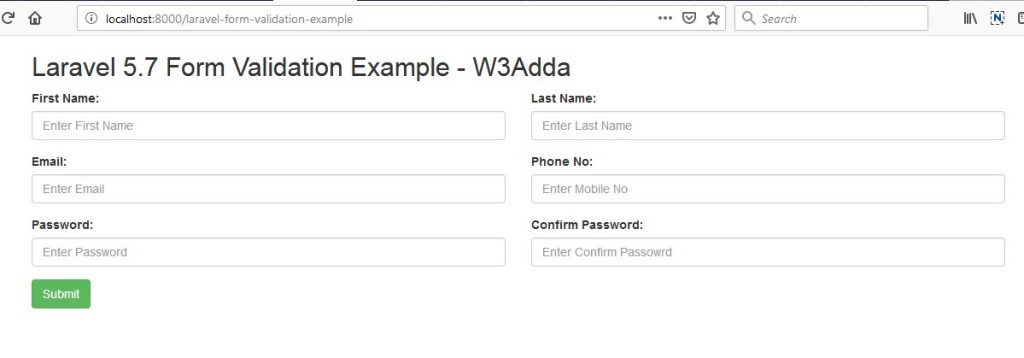
Output 1:-

laravel-5-7-form-validation-example-1

Output 2:-

Validate form data and display error messages.

laravel-5-7-form-validation-example-2

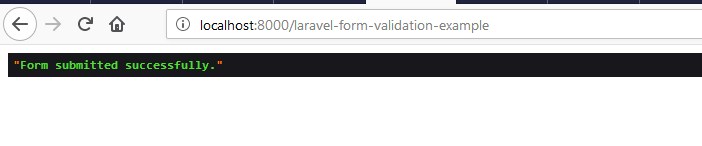
Output 3:-

Form data submitted successfully.

laravel-5-7-form-validation-example-3

Laravel 5.8 Form Validation Tutorial With Example

Laravel 5.8 Form Validation Tutorial With Example

Form Input validation is a process where we check whether the input data provided by user or client is in correct format or not. Input validation is always a best practice to avoid potential errors.Generally Form validation is performed at server side, but can be performed at both the server and client side. In this laravel form validation tutorial we will be learning about laravel server side validations. In this tutorial, I’ll show you how to define laravel validation rules, how to validate form input and to display validation errors.

Laravel 5 comes many built-in validation rules that can be easily implemented. In this example, we have used some of following validation rules –

required:- It set input field is required.

min:- Validate minimum character length.

max:- Validate maximum character length.

email: It set input must be a valid email address.

unique: It checks for unique value against a database column.

numeric: Input value must numeric.

same:- It validates two input fields value must be same.

Before starting with example I assume that you already have fresh laravel 5.8 installation ready, if you have not installed it yet you can follow laravel 5.8 installation instruction here.

Create Laravel Controller

Next, we have to create a controller to display contact form and to handle form validation and submit operations. Lets Create a controller named FormValidationController using command given below –

Once the above command executed, it will create a controller file FormValidationController.php in app/Http/Controllers/formValidationExample directory.

Open the formValidationExample/FormValidationController.php file and put the following code in it.

app/Http/Controllers/formValidationExample/FormValidationController.php

In this controller, we have following methods –

index() :- To display form.

store() :- To validate and submit form data.

Create Laravel View Files

In this step, we will create laravel view/blade file to perform display form and to show errors if any. Lets create a blade file “index.blade.php” in “resources/views/formValidationExample/” directory and put the following code in it respectively.

resources/views/formValidationExample/index.blade.php

Define Laravel Route

After this, we need to define routes in “routes/web.php” file. Lets open “routes/web.php” file and add the following routes in it.

routes/web.php

Start Development Server

Now we are ready to run our example so lets start the development server using following artisan command –

Now, open the following URL in browser to see the output –

http://localhost:8000/laravel-form-validation-example

Output 1:-

laravel-5-8-form-validation-example-1

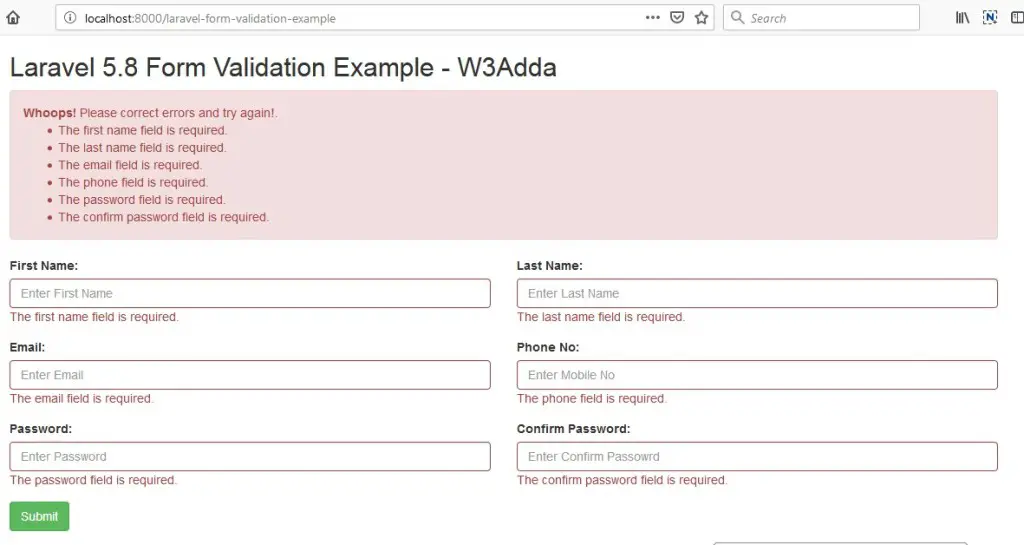
Output 2:-

Validate form data and display error messages.

laravel-5-8-form-validation-example-2

Output 3:-

Form data submitted successfully.

laravel-5-8-form-validation-example-3

Laravel 5.8 jQuery Ajax Form Submit

Laravel 5.8 jQuery Ajax Form Submit

In this Laravel jQuery Ajax Form Submit tutorial you’ll learn to submit form data without reloading or refreshing of page using ajax. In this tutorial I’ll show you step by step how to submit a form without reloading or refreshing of page using ajax. In this example we will be using jquery ajax submit handler for ajax form submission.

In Laravel, to submit form data using ajax we must have to incorporate csrf token with form data and set X-CSRF-TOKEN request header with ajax form submit request.

Before starting with example I assume that you already have fresh laravel 5.8 installation ready, if you have it installed then you can skip this step.

Create Laravel 5.8 Application

First of all we need to create a fresh laravel project, download and install Laravel 5.8 using the below command

Configure Database In .env file

Now, lets create a MySQL database and connect it with laravel application. After creating database we need to set database credential in application’s .env file.

.env

Generate Application Key

Open terminal and switch to the project directory and run the following command to generate application key and configure cache.

Set Default String Length

Locate the file “app/Providers/AppServiceProvider”, and add following line of code to the top of the file

and inside the boot method set a default string length as given below –

So this is how “app/Providers/AppServiceProvider” file looks like –

Create Model and Migration

Now, we have to define table schema for contact table. Open terminal and let’s run the following command to generate a Contact model along with a migration file to create contact table in our database.

Once this command is executed you will find a migration file created under “database/migrations”. Lets open migration file created and put following code in it –

Run Laravel Migration

Now, run following command to migrate database schema.

After, the migration executed successfully the contact table will be created in database.

Create Laravel View Files

In this step, we will create laravel view/blade file to display contact form and submit it using jquery ajax. Lets create a blade file “contact_form.blade.php” in “resources/views/ajaxFormSubmit/” directory.

Create bootstrap form In View File

Go to “contact_form.blade.php” in “resources/views/ajaxFormSubmit/” directory and put the following code in it to create a bootstrap form.

resources/views/ajaxFormSubmit/contact_form.blade.php

Add CSRF Meta Tag In View file

Laravel comes with a security mechanism called csrf token. In Laravel, each of the request is attached a csrf_token that is validated before can be processed. In order to submit form data using ajax, we must have to incorporate following meta tag in our view file.

Add jQuery In View file

Now, we need to include jquery library into our view file. Add the following line of code inside the head section of view file.

Create a submit handler function

Lets create an empty function to be executed when submit button is clicked. Add the following javascript code in view file at the end of the view file.

Set CSRF Token In jQuery Ajax Header :-

In order to submit form data using ajax, we must have to set X-CSRF-TOKEN request header with ajax form submit request.

Create $.ajax() function to submit form data :-

Now, we will add following code to submit form data using ajax inside submit handler function. Our final submit handler function will look like this –

Now our final view file will look like this –

resources/views/ajaxFormSubmit/contact_form.blade.php

Create Laravel Controller

Next, we have to create a controller to display contact form and to handle form validation and submit operations. Lets Create a controller named ContactController using command given below –

Once the above command executed, it will create a controller file ContactController.php in app/Http/Controllers/ajaxFormSubmit directory.

Open the ajaxFormSubmit/ContactController.php file and put the following code in it.

app/Http/Controllers/ajaxFormSubmit/ContactController.php

In this controller, we have following methods –

index() :- To display contact form.

store() :- To handle form submit request.

Define Laravel Route

After this, we need to define routes in “routes/web.php” file. Lets open “routes/web.php” file and add the following routes in it.

routes/web.php

Start Development Server

Now we are ready to run our example so lets start the development server using following artisan command –

Now, open the following URL in browser to see the output –

http://localhost:8000/jquery-ajax-form-submit

Output 1:-
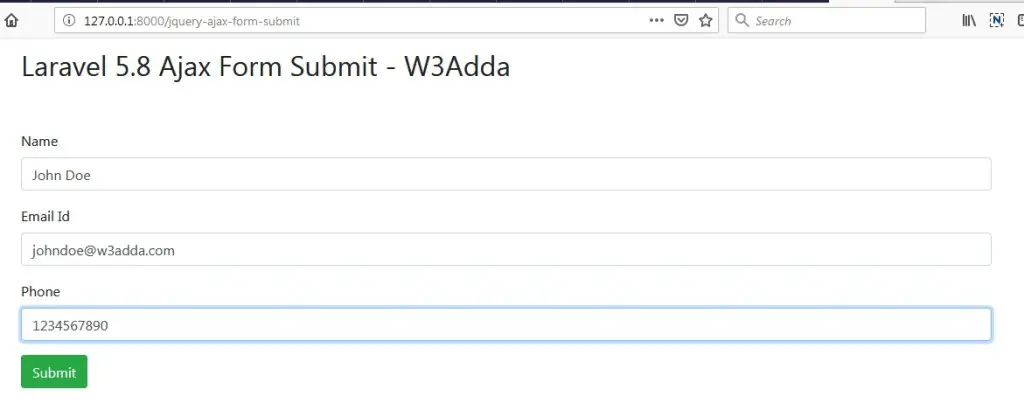
laravel-5-8-jquery-ajax-form-submit-1-1

Output 2:-

Form data submitted successfully
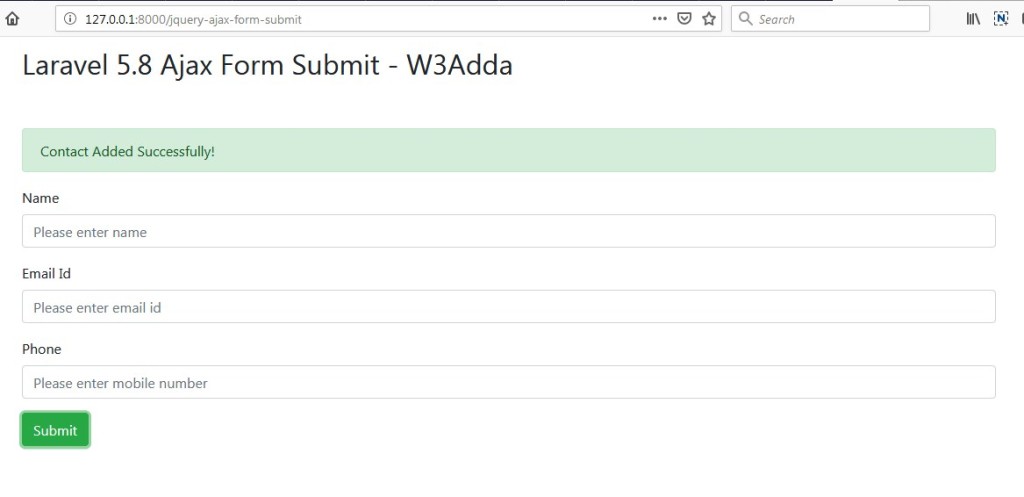
laravel-5-8-jquery-ajax-form-submit-2-2

Laravel 5.8 jQuery Form Validation

Laravel 5.8 jQuery Form Validation

Input validation is a process where we check whether the input data provided by user or client is in correct format or not. If the input data fails to satisfy the validation rules then the user is responded with an error response code and the user is requested to resubmit the form with correct information. Generally Form validation is performed at server side, but can be performed at both the server and client side.

In this simple example, I’ll show you how to implement client side validation in laravel using Jquery Form Validation plugin. In this tutorial, you will learn to validate the form data in the client side before it is submitted to server. When the form data satisfies the validation it will submitted to server for further processing.

Create Laravel View Files

In this step, we will create laravel view/blade file to perform display form. Lets create a blade file “index.blade.php” in “resources/views/jqueryFormValidation/” directory and put the following code in it respectively.

resources/views/jqueryFormValidation/contact_form.blade.php

Load JS and CSS file

For that first, we need to load jQuery Form validation plugin along with jQuery to validate input fields and also use bootstrap css file.

Create Laravel Controller

Next, we have to create a controller to display contact form and to handle form validation and submit operations. Lets Create a controller named ContactController using command given below –

Once the above command executed, it will create a controller file ContactController.php in app/Http/Controllers/jqueryFormValidation directory.

Open the jqueryFormValidation/ContactController.php file and put the following code in it.

app/Http/Controllers/jqueryFormValidation/ContactController.php

Define Laravel Route

After this, we need to define routes in “routes/web.php” file. Lets open “routes/web.php” file and add the following routes in it.

routes/web.php

Start Development Server

Now we are ready to run our example so lets start the development server using following artisan command –

Now, open the following URL in browser to see the output –

http://localhost:8000/jquery-form-validation

Output 1:-

laravel-5-8-jquery-form-validation-1

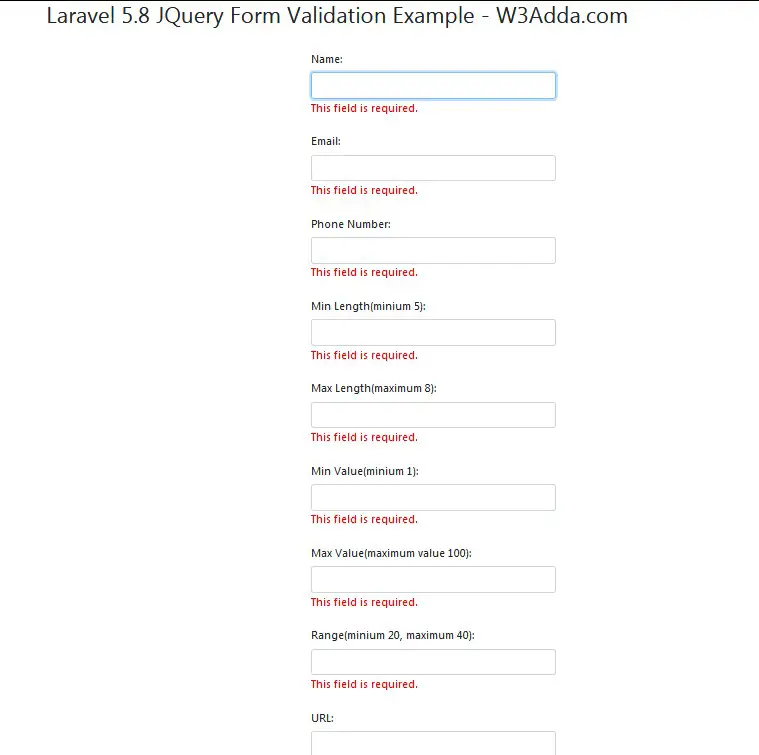
Output 2:-

Validate form data and display error messages.

laravel-5-8-jquery-form-validation-2

Laravel 5 Fix Ajax Post 500 Internal Server Error

Laravel 5 Fix Ajax Post 500 Internal Server Error

Many times while trying to submit form data using ajax you encounter 500 internal server error, in most of the cases this happens due to not adding csrf_token with form data or not setting X-CSRF-TOKEN request header with ajax form submit request. In this tutorial, I’ll show you how to add CSRF Meta and Ajax Headers properly to avoid internal server error.

Add CSRF Meta and Set Ajax Headers

Laravel comes with a security mechanism called csrf token. In Laravel, each of the request is attached a csrf_token that is validated before can be processed. In order to submit form data using ajax, we must have to incorporate csrf token with form data and set X-CSRF-TOKEN request header with ajax form submit request. This CSRF Token can generated using csrf_token() helper of laravel 5.

Add CSRF Token In Meta tag :-

Set CSRF Token In jQuery Ajax Header :-

Laravel 5.8 jQuery Ajax Form Submit With Validation

Laravel 5.8 jQuery Ajax Form Submit With Validation

What Is Input Validation?

Input validation is a process where we check whether the input data provided by user or client is in correct format or not. If the input data fails to satisfy the validation rules then the user is responded with an error response code and the user is requested to resubmit the form with correct information. Generally Form validation is performed at server side, but can be performed at both the server and client side.

We will be using Jquery Form Validation plugin to validate the form in the client side, then input data is submitted to server where it will be validated against the server side validation rules.When the form data satisfies the validation at both the client and server side it will be inserted into the database.

Laravel Ajax Form Submit

In this Laravel jQuery Ajax Form Submit tutorial you’ll learn to validate and submit form data without reloading or refreshing of page using ajax. In this tutorial I’ll show you step by step how to submit a form without reloading or refreshing of page using ajax. In this example we will be using jquery form validation along with the jquery ajax submit handler for ajax form submission.

In this Laravel jQuery Ajax Form Submit example, I’ll show you how easily we can implement laravel validation with jquery ajax form submit request and can display laravel validation errors messages. In order to submit form data using ajax, we must have to incorporate csrf token with form data and set X-CSRF-TOKEN request header with ajax form submit request.

Before starting with example I assume that you already have fresh laravel 5.8 installation ready, if you have it installed then you can skip this step.

Create Laravel 5.8 Application

First of all we need to create a fresh laravel project, download and install Laravel 5.8 using the below command

Configure Database In .env file

Now, lets create a MySQL database and connect it with laravel application. After creating database we need to set database credential in application’s .env file.

.env

Generate Application Key

Open terminal and switch to the project directory and run the following command to generate application key and configure cache.

Set Default String Length

Locate the file “app/Providers/AppServiceProvider”, and add following line of code to the top of the file

and inside the boot method set a default string length as given below –

So this is how “app/Providers/AppServiceProvider” file looks like –

Create Model and Migration

Now, we have to define table schema for contact table. Open terminal and let’s run the following command to generate a Contact model along with a migration file to create contact table in our database.

Once this command is executed you will find a migration file created under “database/migrations”. Lets open migration file created and put following code in it –

Run Laravel Migration

Now, run following command to migrate database schema.

After, the migration executed successfully the contact table will be created in database.
Create Laravel Controller

Next, we have to create a controller to display contact form and to handle form validation and submit operations. Lets Create a controller named ContactController using command given below –

Once the above command executed, it will create a controller file ContactController.php in app/Http/Controllers/ajaxFormSubmitValidation directory.

Open the ajaxFormSubmitValidation/ContactController.php file and put the following code in it.

app/Http/Controllers/ajaxFormSubmitValidation/ContactController.php

In this controller, we have following methods –

index() :- To display contact form.

store() :- To validate and submit form data,

Create Laravel View Files

In this step, we will create laravel view/blade file to perform display contact form. Lets create a blade file “contact_form.blade.php” in “resources/views/ajaxFormSubmitValidation/” directory and put the following code in it respectively.

resources/views/ajaxFormSubmitValidation/contact_form.blade.php

Add CSRF Meta and Set Ajax Headers

Laravel comes with a security mechanism called csrf token. In Laravel, each of the request is attached a csrf_token that is validated before can be processed. In order to submit form data using ajax, we must have to incorporate csrf token with form data and set X-CSRF-TOKEN request header with ajax form submit request. This CSRF Token can generated using csrf_token() helper of laravel 5.

Add CSRF Token In Meta tag :-

Set CSRF Token In jQuery Ajax Header :-

Define Laravel Route

After this, we need to define routes in “routes/web.php” file. Lets open “routes/web.php” file and add the following routes in it.

routes/web.php

Start Development Server

Now we are ready to run our example so lets start the development server using following artisan command –

Now, open the following URL in browser to see the output –

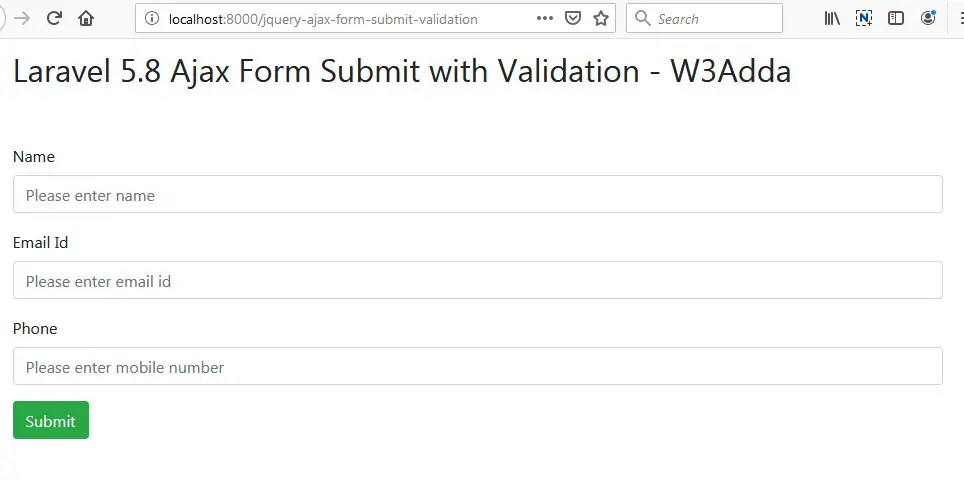
http://localhost:8000/jquery-ajax-form-submit-validation

Output 1:-

laravel-5-8-jquery-ajax-form-submit-with-validation-1

Output 2:-

Validate form data and display error messages.

laravel-5-8-jquery-ajax-form-submit-with-validation-2

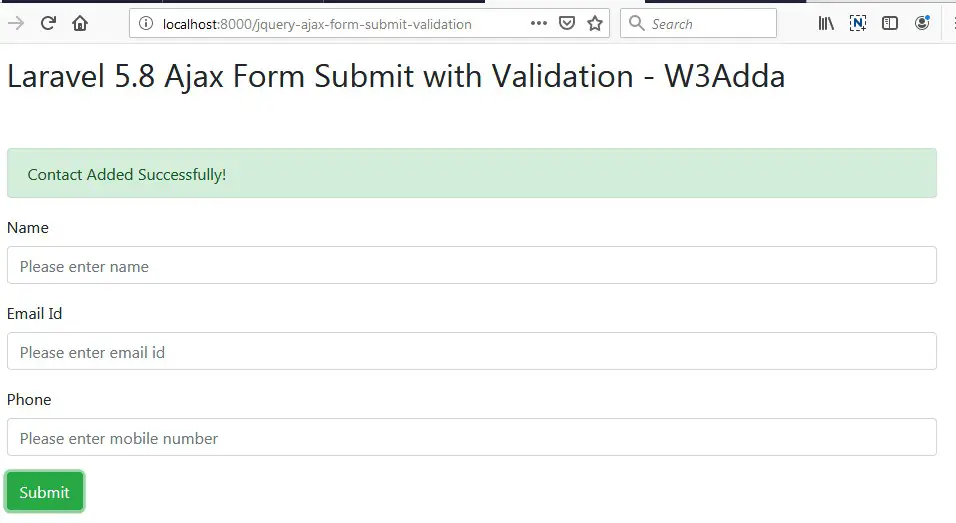
Output 3:-

Form data submitted successfully.

laravel-5-8-jquery-ajax-form-submit-with-validation-3