Category Archives: Java Programs

Java Programs

Java Program to find the frequency of each element in the array

Java Program to find the frequency of each element in the array

In this tutorial, we will learn to create a Java program that will find the Frequency of each Element in an Array using Java programming.

Prerequisites

Before starting with this tutorial, we assume that you are the best aware of the following Java programming topics:

  • Operators in Java Programming.
  • Basic Input and Output function in Java Programming.
  • Basic Java programming.
  • For loop in Java programming.
  • Arithmetic operations in Java Programming.

Program to Find Frequency of each Element in an Array.

In this program, we will count the frequency of each element in the array. The frequency means the occurrence of the element in that array.

Here, we will first initialize the array. After that, we will find the length of the array. Then we will count the frequency of every element in the array. At last, we will print the frequency of each element to the user.

With the help of this program, we can print the Frequency of each Element in an Array.

Program Code:-


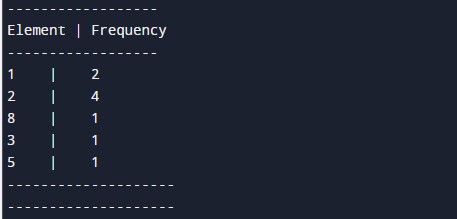
Output:-

In the above program, we have first initialized the required variable.

  • arr[] = it will hold the integer value.
  • i = it will hold the integer value.
  • j = it will hold the integer value.
  • occ = it will hold the element’s occurrence.

Calculating the size of the array using the length function, Then we will add count the frequency of each element using the for-loop.
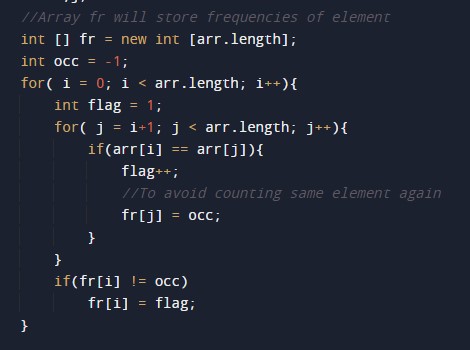
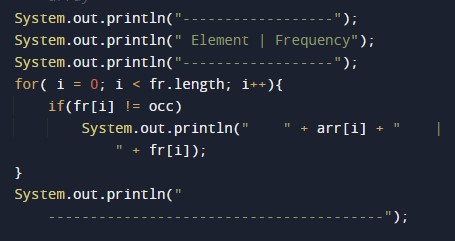
Printing the frequency of each element in the array.
Java Program to copy all elements of one array into another array

Java Program to copy all elements of one array into another array

In this tutorial, we will learn to create a Java program that will copy all elements of one array into another array using Java programming.

Prerequisites

Before starting with this tutorial, we assume that you are the best aware of the following Java programming topics:

  • Operators in Java Programming.
  • Basic Input and Output function in Java Programming.
  • Basic Java programming.
  • For loop in Java programming.
  • Arithmetic operations in Java Programming.

Algorithm:-

Copy all array elements to another array.

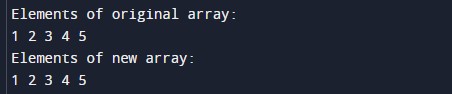
In this program, First, we will first declare the size of the array and its elements for the prorgam. Then we will find the length of array 1 using the length function for the second array. After that we will copy the elements of the array one to array two. At last, we will print the first and the second array to the user.

With the help of this program, we can copy all elements of one array into another array.

Program Code:-


Output:-

In the above program, we have first initialized the required variable.

  • arr1[] = it will hold the integer value.
  • arr2[] = it will hold the integer value.
  • i = it will hold the integer value.

Finding the size of the array one using the length function.

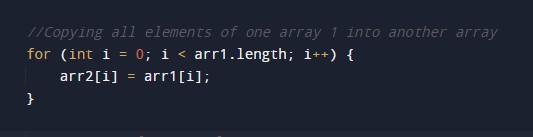
Copying the elements of the array one to the second array.

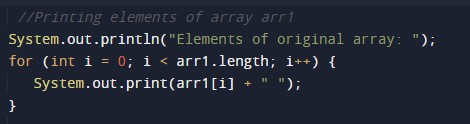
Printing array 1 to the user.

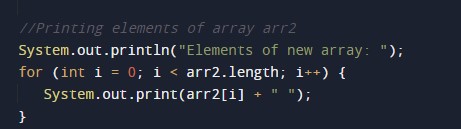
Printing array 2 to the user.

Java Program to Add Two Matrix Using Multi-dimensional Arrays

Java Program to Add Two Matrices Using Multi-dimensional Arrays

In this tutorial, we will learn to create a Java program that will Add Two Matrix Using Multi-dimensional Arrays using Java programming.

Prerequisites:-

Before starting with the tutorial, we assume that you are the best aware of the following Java programming topics:

  • Operators in Java Programming.
  • Basic Input and Output function in Java Programming.
  • Basic Java programming.
  • For loop in Java programming.

Program to Add Two Matrices Using Multi-dimensional Arrays

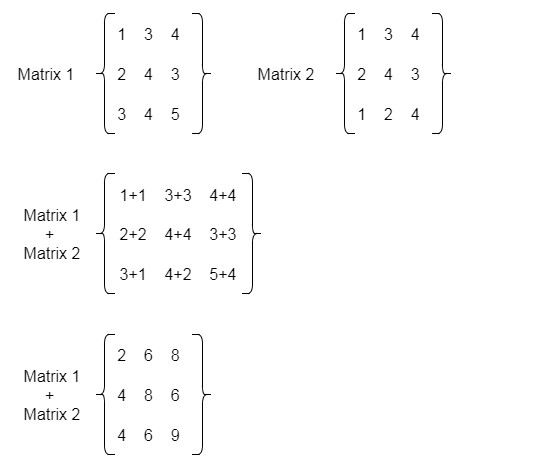
In this program, First, we will take two matrices in input from the user using looping statements for the program. Then secondly, we will add the two matrices using the for loops into a third matrix. At last, we will print the added matrix to the user using the system. Out method.

Algorithm:-

With the help of this program, we can Add Two Matrices Using Multi-dimensional Arrays


Program:-

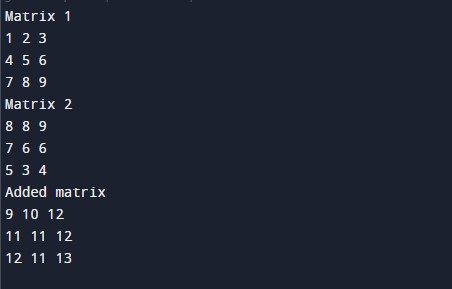
Output:-

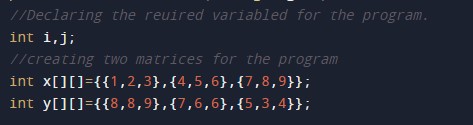
In the above program, we have first initialized the required variable.

  • x[][] = it will hold the integer value.
  • y[][] = it will hold the integer value.
  • sum[][] = it will hold the integer value.
  • i= it will hold the integer value.
  • j= it will hold the integer value.

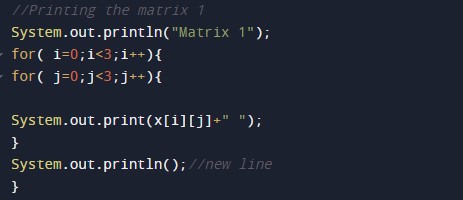
Printing the first matrix to the user.

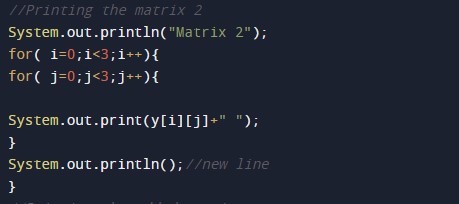
Printing the second matrix to the user.

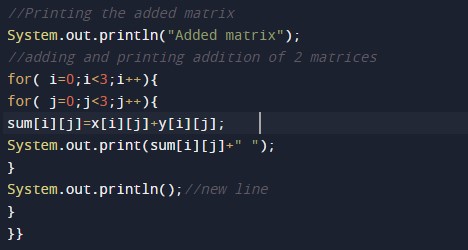
Adding the two matrices into 1 and printing the added matrix to the user.


Java Program to convert char Array to String

Java Program to convert char Array to String

In this tutorial, we will learn to create a Java program that will convert char Array to String using Java programming.

Prerequisites.

Before starting with this tutorial, we assume that you are the best aware of the following C programming topics:

  • Operators in Java Programming.
  • Basic Input and Output function in Java Programming.
  • Basic Java programming.
  • For loop in Java programming.
  • Conditional Statements in Java programming.

Program to convert char Array to String.

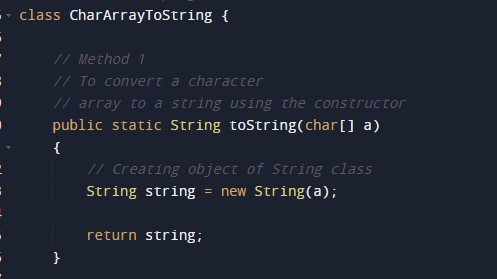
In this program, First, we will declare the array in the java program. Then we will define a  function to convert a character array to a string. Then we will return the string to the main function. At last, we will print the string to the user.

With the help of this program, we can convert char Array to String.

Algorithm:-

Program to convert the character to string:-

Output:-

character to string output.

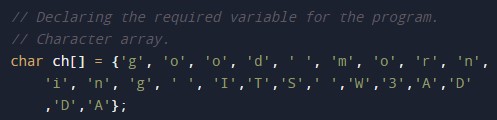
In the above program, we have first initialized the required variable.

  • ch[] = it will hold a character array declared.

Passing that character array to the function for conversion.

A user-defined function that will convert the string from the Character array.

Printing the string by calling the function from the logical code.

Java Program to reverse an array

Java Program to Reverse an Array.

In this tutorial, we will learn to create a Java program that will reverse an Array Using Java programming.

Prerequisites

Before starting with this tutorial, we assume that you are the best aware of the following Java programming topics:

  • Operators in Java Programming.
  • Basic Input and Output function in Java Programming.
  • Basic Java programming.
  • For loop in Java programming.
  • Arithmetic operations in Java Programming.

Reversing an Array:-

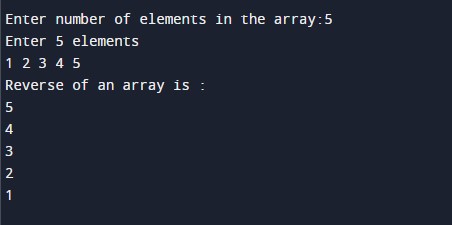
In this program, First, we will first take the size of the array from the user. Then we will take the elements of the array from the user. Then we will copy elements of the array. After that, we will reverse the array using the for-loop. Then we will print the reverse of the original array to the user.

With the help of this program, we can be reverse an Array.

Program Code:-

Output:-

In the above program, we have first initialized the required variable.

  • array[] = it will hold the integer value.
  • i = it will hold the integer value.
  • j = it will hold the integer value.
  • size = it will hold the integer value.

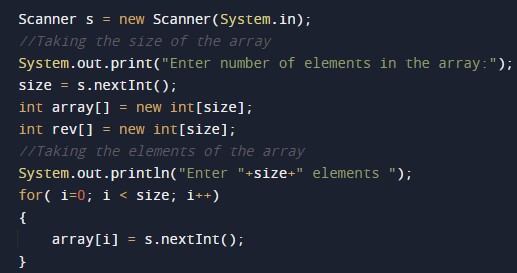
Taking the size of the array and the elements.

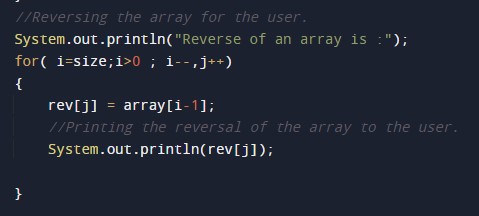
Program Code to Reverse an Array.

Printing reversed array to the user.

Java Program to Count Duplicate Elements in Array

Java Program to Count Duplicate Elements in Array

In this tutorial, we will learn to create a Java program that will count the duplicate elements of an array using Java programming.

Prerequisites

Before starting with this tutorial, we assume that you are the best aware of the following Java programming topics:

  • Operators in Java Programming.
  • Basic Input and Output function in Java Programming.
  • Basic Java programming.
  • For loop in Java programming.
  • Arithmetic operations in Java Programming.

Algorithm:-

Printing the duplicate Elements in an Array.

In this program, First, we will first take the size of the array from the user. Then we will take the elements of the array from the user. After that, we will use the conditional statements and the loops to check the duplicate elements of the array. Then we will be using a for loop to print the duplicate elements of the array.

With the help of this program, we can be print the duplicate elements of the array.

Program Code:-

Output:-

In the above program, we have first initialized the required variable.

  • no = it will hold the integer value.
  • i = it will hold the integer value.
  • j = it will hold the integer value.
  • temp = it will hold the integer value.

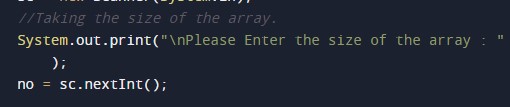
Taking the size of the array from the user.

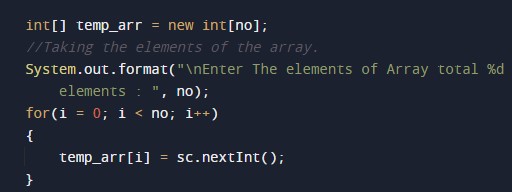
Taking the input elements for the array.

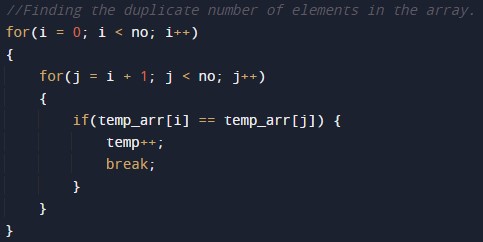
Finding the duplicate number of elements of the array.

Printing output duplicate number of elements of the array.

Java Program to Add the elements of an Array

Java Program to Add the elements of an Array

In this tutorial, we will learn to create a Java program that will add the elements of an Array using Java programming.

Prerequisites

Before starting with this tutorial, we assume that you are the best aware of the following Java programming topics:

  • Operators in Java Programming.
  • Basic Input and Output function in Java Programming.
  • Basic Java programming.
  • For loop in Java programming.
  • Arithmetic operations in Java Programming.

What is An array?

The array is a collection of similar data types. An array can store multiple values with different indexes in memory by using a single variable. The array can be both single and multidimensional.

Program description to find add the Elements of an Array.

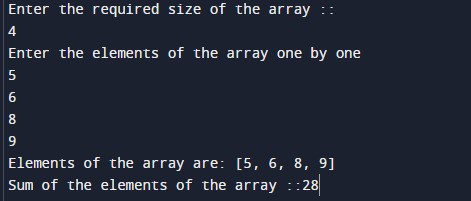
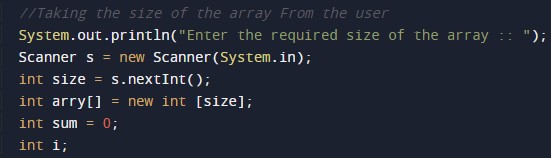
In this program, we will first take the input array size and the elements from the user. Then we will add all the elements of the array using a for-loop. At last, we will print all the elements of the array to the user.

With the help of this program, we can add the Elements of an Array.

Program Code:-

Output:-

In the above program, we have first initialized the required variable.

  • arry[] = it will hold the integer value of the input elements.
  • i = it will hold the integer value.
  • Size = it will hold the integer value of the input.

Input size of the array from the user.

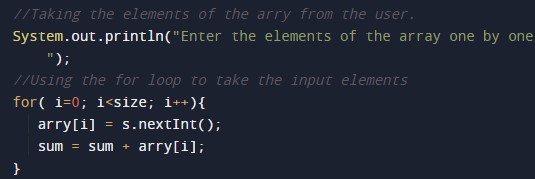
Taking the elements of the array from the user.

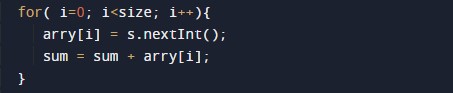
Program Logic Code for the adding of the elements of the array.

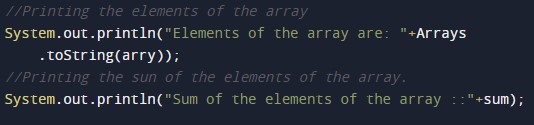
Printing output array after adding the element to the array.

Java Program to Remove Element From Array

Java Program to Remove the elements of an Array

In this tutorial, we will learn to create a Java program that will remove the elements of an Array using Java programming.

Prerequisites

Before starting with this tutorial, we assume that you are the best aware of the following Java programming topics:

  • Operators in Java Programming.
  • Basic Input and Output function in Java Programming.
  • Basic Java programming.
  • For loop in Java programming.
  • Arithmetic operations in Java Programming.

Program description to find Remove the Elements of an Array.

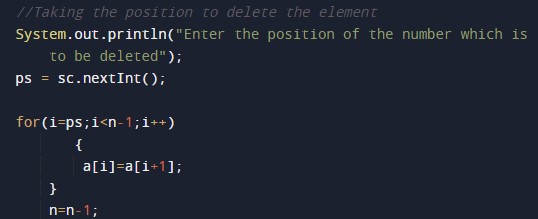
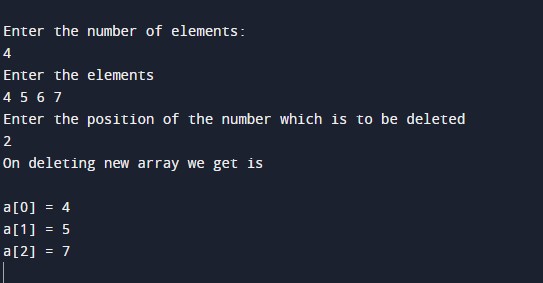
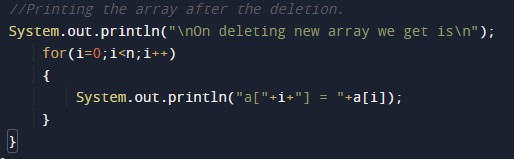
In this program, we will first take the input array size and the elements from the user. Then we will take a position to remove an element of the array using a for-loop. At last, we will print the array to the user using the print function.

With the help of this program, we can Remove the Elements of an Array.

Program Code:-

Output:-

In the above program, we have first initialized the required variable.

  • ps = it will hold the integer value of the input elements.
  • i = it will hold the integer value.
  • n = it will hold the integer value of the input.

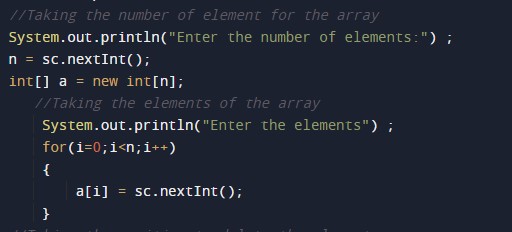
Input size and the elements of the array from the user.

Program Logic Code for the Remove of the elements of the array.

Printing the array after deletion of the element.

Java Program to Add Element to Array

Java Program to Add Element to Array

In this tutorial, we will learn to create a Java program that will add the elements to an Array using Java programming.

Prerequisites

Before starting with this tutorial, we assume that you are the best aware of the following Java programming topics:

  • Operators in Java Programming.
  • Basic Input and Output function in Java Programming.
  • Basic Java programming.
  • For loop in Java programming.
  • Arithmetic operations in Java Programming.

Algorithm:-

Program description to find add the Elements of an Array.

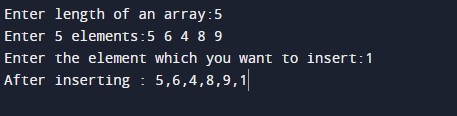
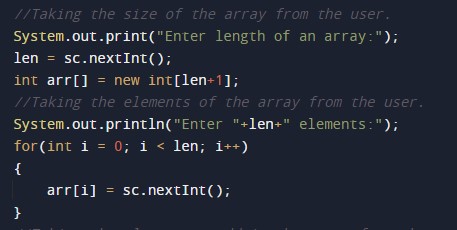
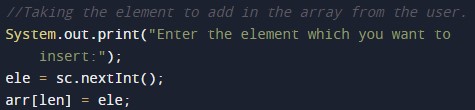
In this program, we will first take the input array size and the elements from the user. Then we will add all the elements in the array using a for-loop. At last, we will print the added array to the user.

With the help of this program, we can add the Elements of an Array.

Program Code:-


Output:-

In the above program, we have first initialized the required variable.

  • ele = it will hold the integer value.
  • len = it will hold the integer value.
  • i = it will hold the integer value.

Input size and the elements of the array from the user.

Program Logic Code for the adding of the element in the array.
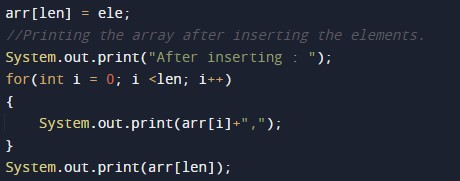
Printing array after adding the element in the array.

Java Program to Insert Element at Specific Position in Array

Java Program to Insert Element at Specific Position in Array

In this tutorial, we will learn to create a Java program that will insert an Element at a Specific Position in an Array using Java programming.

Prerequisites

Before starting with this tutorial, we assume that you are the best aware of the following Java programming topics:

  • Operators in Java Programming.
  • Basic Input and Output function in Java Programming.
  • Basic Java programming.
  • For loop in Java programming.
  • Arithmetic operations in Java Programming.

Algorithm:-

Program description:-

In this program, We will first take the size and the elements of the array. Then We will take the new element and its position from the user. At last, we will add the element in the array and will print that to the user.

With the help of this program, we can insert an Element at a Specific Position in the Array.

Program Code:-

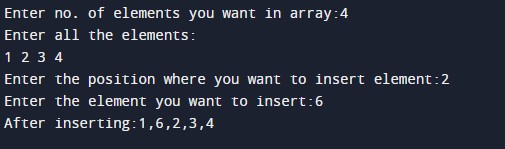
Output:-

In the above program, we have first initialized the required variable.

  • positionn = it will hold the integer value for the position.
  • n = it will hold the integer value.
  • i = it will hold the integer value.

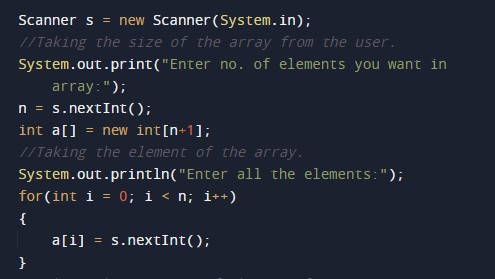
Input size and the elements of the array from the user.

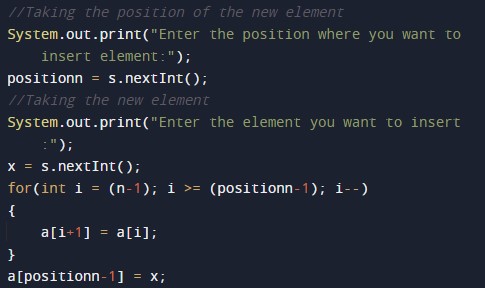
Taking the new element and its position from the user to add in the array.

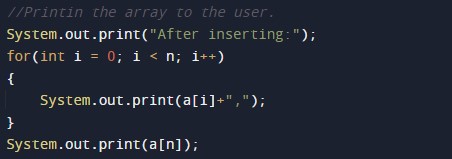
Printing array after adding the element in the array.
Java Program to Merge Two Sorted Arrays

Java Program to Merge Two Sorted Arrays

In this tutorial, we will learn to create a Java program that will Merge Two sorted Arrays using Java programming.

Prerequisites

Before starting with this tutorial, we assume that you are the best aware of the following Java programming topics:

  • Operators in Java Programming.
  • Basic Input and Output function in Java Programming.
  • Basic Java programming.
  • For loop in Java programming.
  • Arithmetic operations in Java Programming.

Algorithm:-

Merging Two Arrays.

In this program, First, we will declare arrays one and two for the program. Then we will find the combined length for the merged array. After that, we will merge both the array. Then we will print the elements of the merged two sorted arrays to the user with the help of the print function.
With the help of this program, we can merge Two Sorted Arrays in an Array.

Program Code:-

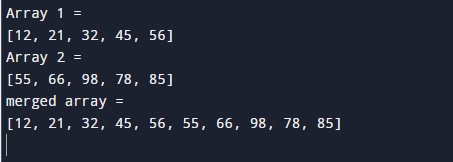
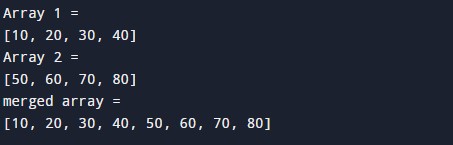
Output:-

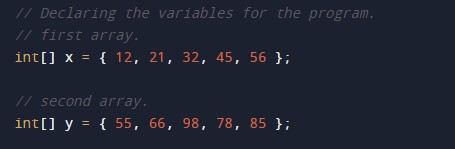
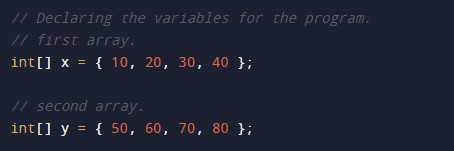
In the above program, we have first initialized the required variable.

  • x = it will hold the integer value.
  • y = it will hold the integer value.
  • z = it will hold the integer value.

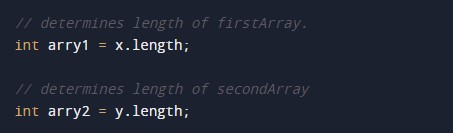
Finding the size of the arrays.

Program Code to Merge Two Arrays.

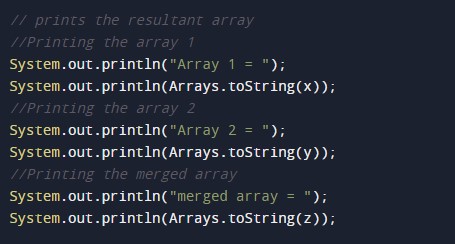
Printing output of the program.

Java Program to Merge Two Arrays

Java Program to Merge Two Arrays

In this tutorial, we will learn to create a Java program that will Merge Two Arrays using Java programming.

Prerequisites

Before starting with this tutorial, we assume that you are the best aware of the following Java programming topics:

  • Operators in Java Programming.
  • Basic Input and Output function in Java Programming.
  • Basic Java programming.
  • For loop in Java programming.
  • Arithmetic operations in Java Programming.

What is Merging?

The merging means is adding two or more arrays into one. Merging can be done with a simple Java programming code.

Merging Two Arrays.

In this program, First, we will declare arrays one and two for the program. Then we will find the combined length for the merged array. After that, we will merge both the array. Then we will print the elements of the merged array to the user with the help of the print function.
With the help of this program, we can merge Two Arrays in an Array.
Program Code:-

Output:-

In the above program, we have first initialized the required variable.
  • x = it will hold the integer value.
  • y = it will hold the integer value.
  • z = it will hold the integer value.

Finding the size of the arrays.

Program Code to Merge Two Arrays.

Printing output of the program.