Category Archives: Codeigniter Tutorial

Codeigniter Tutorial

CodeIgniter Helloworld Application

CodeIgniter Hello World Application

The “Hello world!” application is a simplest application that will display some text on the screen. The “Hello world!” application is simple yet complete application for beginners to understand basic syntax and working of codeigniter MVC framework.

Prerequisites

Before starting with this tutorial I assume that you already have a CodeIgniter application installed and configured (removed index.php from url), in my example I have installed and configured it as –

http://localhost/codeigniter/

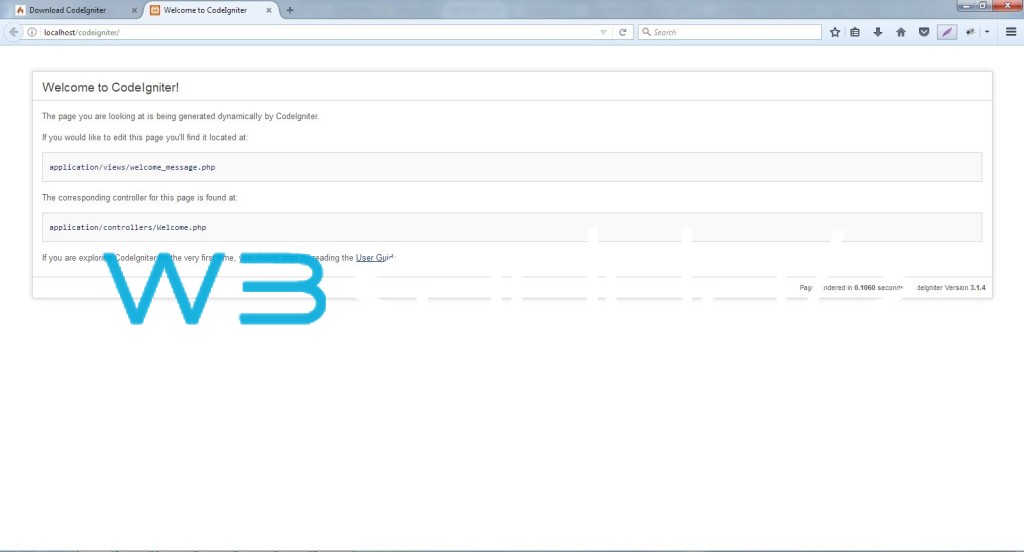
installation2

Step 1:- Lets start be making a basic controller class file. Create a new file in the ‘controllers’ directory and name it ‘hello.php’.

Step 2:- Put the following code snippet in this controller class –

Step 3:- Now, create a new file in the ‘views’ directory and name it ‘hello_world.php’.

Step 4:- Put the following code snippet in ‘hello_world.php’.

Step 5:- Now open the following URL in the browser to see the output –

http://localhost/codeigniter/hello

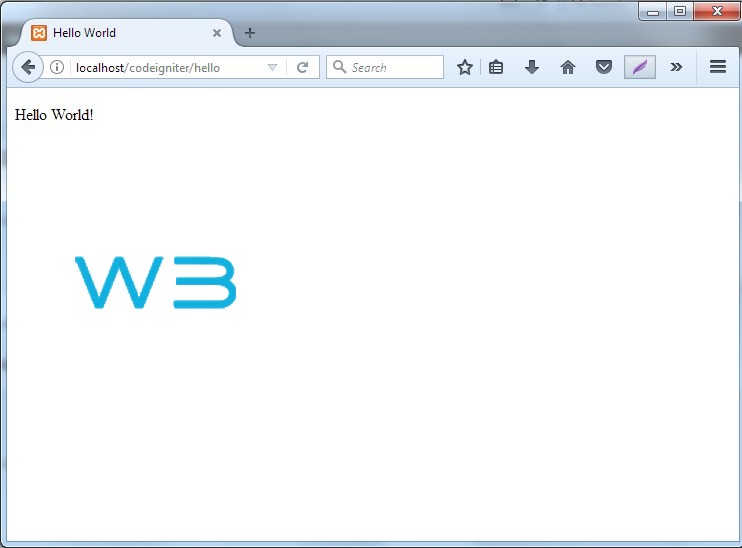
Output :-

hello-world

CodeIgniter MVC Framework

CodeIgniter MVC Framework

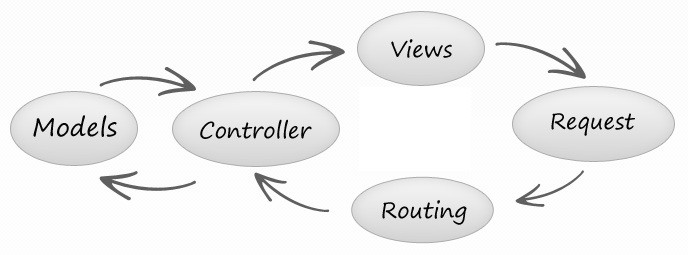
CodeIgniter follows Model-View-Controller (MVC) design pattern, which offers great separation between application, business and presentation logic. The following picture depicts the codeigniter MVC architecture –

codeigniter

CodeIgniter Model

In MVC framework, the letter “M” stands for Model. Model are means to handle the business logic in any MVC framework based application. Model is a class that represents the logical structure and gives you the way to retrieve, insert, and update information into your data table. In CodeIgniter, a model usually contain functions that help you retrieve, insert, and update information in your database.

All of the CodeIgniter Models are stored in the application/models directory.

CodeIgniter Controller

In MVC framework, the letter “C” stands for Controller. Controller works as an intermediary between the Model, View and any other resources required to process the HTTP request, it receives the incoming HTTP requests and process it communicating with models and views, then return the results back to the web browser. In CodeIgniter, controllers is completely responsible for handling the application logic.

In CodeIgniter, all of the controllers stored in application/controllers directory.

CodeIgniter View

View is one of the key component in any Model-View-Controller(MVC) framework.Views are meant to hold the presentation logic in any codeigniter
application. Views separates presentation logic from the application logic. A view file usually contains the information being presented to a user. View can be a complete web page or parts of page like header and footer.

In CodeIgniter, views are stored in application/views directory.


CodeIgniter Application Architecture

CodeIgniter Application Architecture

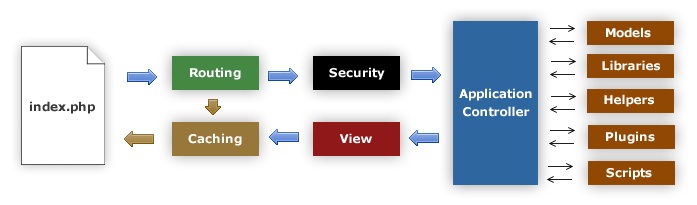
The following picture depicts the codeigniter application architecture or request flow for any client request that comes to it –

codeigniter-flowchart

index.php:- The index.php works as the application front controller, that initializes or load the base resources required for application.

Router:- The Router examines the incoming request and decide what should be done next, whether to pass this request to caching or to pass it to security.

Caching:- If a cache file exists corresponding to incoming request, it is sent directly to the browser, ignoring the further processing.

Security:- Before request is routed to application controller, the request and submitted data is examined for security check.

Application Controller:- The Application Controller loads all of the required Models, Libraries, Helpers, Plugins, Scripts and any other resources required for processing the specific request.

View:- The finalized output is incorporated into View is sent to the web browser. If View is not cached then it will be cached first for subsequent requests.

Codeigniter Directory Structure

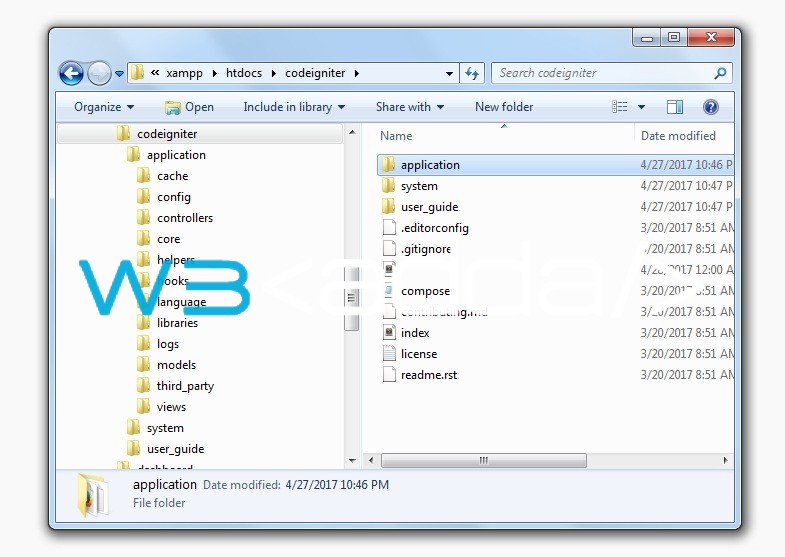
After downloading the CodeIgniter framework, as you extract it you will get the Codeigniter framework file hierarchy as shown below –

1

A codeIgniter application is basically divided into three folders those are as following –

Application

System

User_guide

Also some loose files are there such as index.php, license.txt etc. In addition, You are free to create and use directory to manage your assets like images, scripts etc. All of the folders and files have some functionality associated with them.

CodeIgniter Application Folder Structure

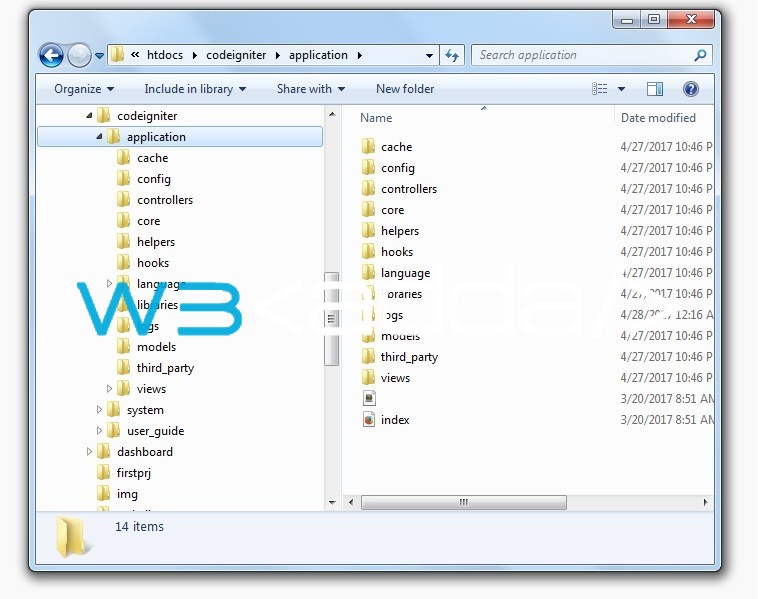
As its name suggests the application directory is main directory in CodeIgniter framework, this is the directory where you keep the entire application code that you are developing. In addition, application directory contains several other sub-directories including controllers, models, and views as shown below.

2

Cache – This directory is meant to store cached page of your application. Cache is a technique that gives way to serve page content faster.
Config – The Config directory contains all configuration of your application. For example, Config.php contain the configuration of Base URL, Index file, URI Protocol etc. Database.php contains the configuration of the database like database driver, database name, username, password etc.
Controller – This directory contains all controller of your application.
Core – This directory contains all base classes of your application.
Helpers – This directory contains all of the helper functions and classes.
Hooks – The Hooks feature gives you way to tap into and modify the inner workings of the framework without hacking the core files of your codeigniter framework. For example, you might want to run a script right before your controllers get loaded, or right after, or you might want to trigger one of your own scripts in some other location.
Language – This directory contains all of the language files for your application.
Libraries – All system library are contained in the system directory. But you can define your own library in the libraries directory.
Logs – This directory contains files related to the log of the system.
Models – This directory contains all of the your database models.
Third_party – In this directory, you can place all of the third party plugins, which will be used in your application.
Views – In this directory you keep all of the templates files for your application.

CodeIgniter System Folder Structure

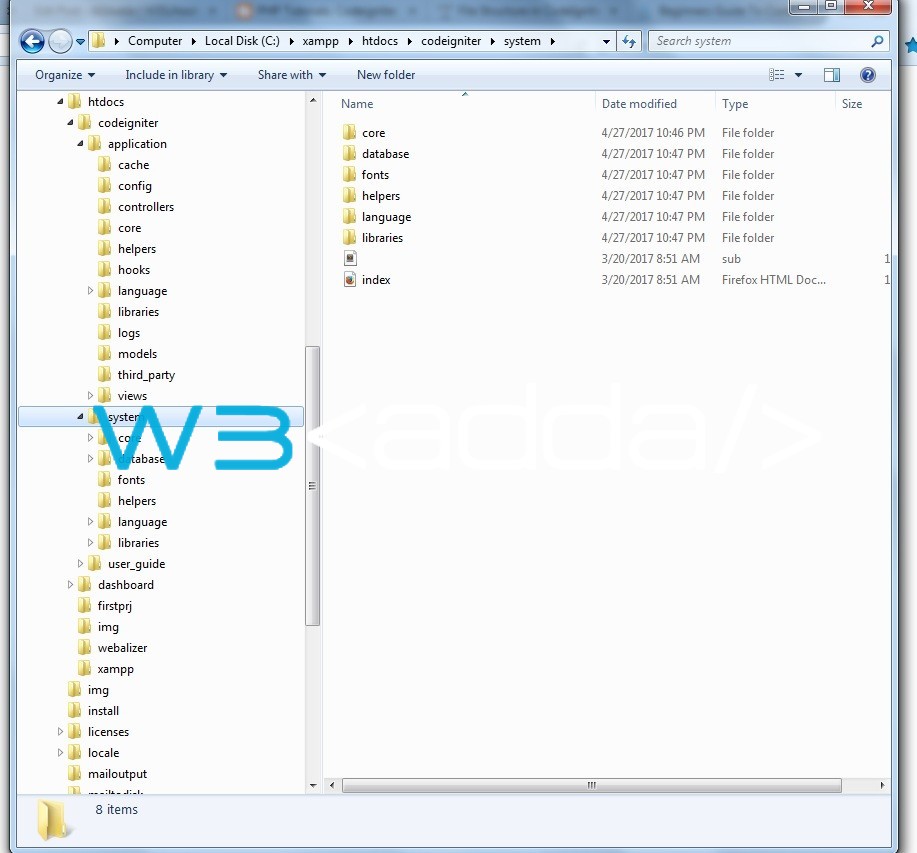
The system directory contains all of the core libraries, helpers and other core files. It is recommended to not change anythings in this directory. This directory contains all the CodeIgniter framework code of consequence, organized into various other sub-directories, as explained below –

3

Core – This folder contains the core classes essential for proper working of the framework. Please do not try to change any file in this directory.
Database – This folder contains core database files like cache, driver, query builder etc.
Fonts – This folder have fonts related files.
Helpers – The helper folder contains standard codeigniter helpers like url helper, array helper, date helper, cookie helper etc.
Libraries – This folder contains standard codeigniter libraries. You can create your own library in application/libraries.
Language – This folder contain language files.

CodeIgniter User_guide Folder Structure

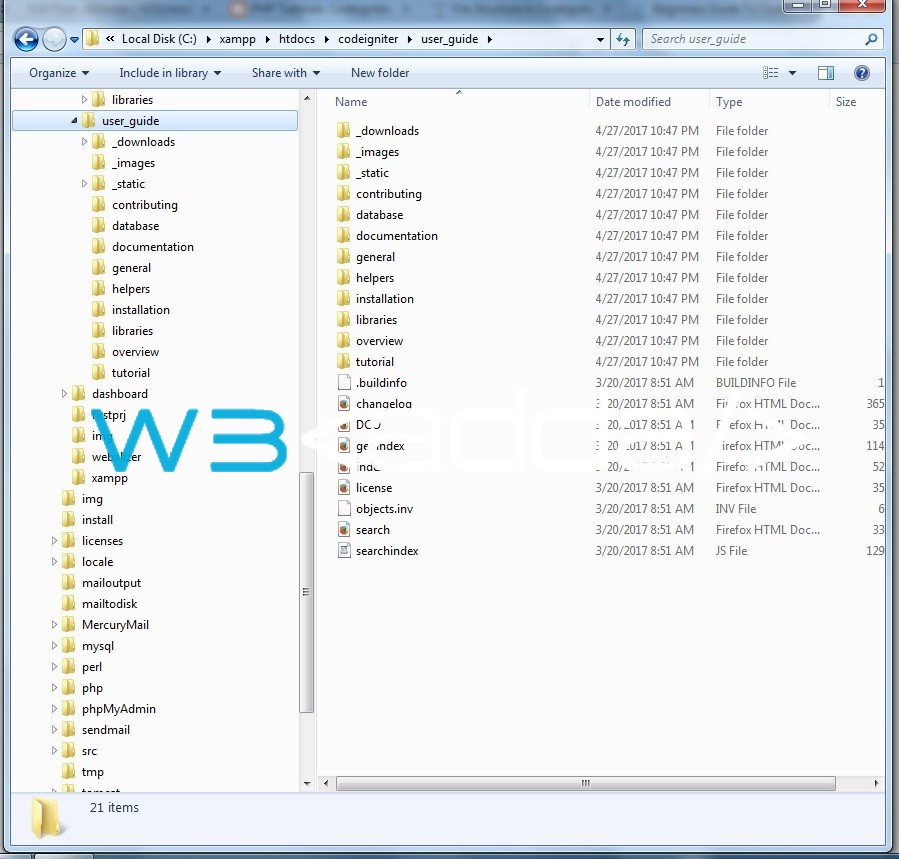
This folder actually a offline version of the user guide website. It helps you to learn and understand Codeigniter framework directory structure, basics and functions, classes and the helpers.

4

CodeIgniter index.php file

In this file, you can setup the application environment, error level and also you can define system, application and view folder path. If you are new to codeigniter, it is recommended not to change index.php code.


Codeigniter Configuration

Configuring base URL

The base URL defines the root of our application. Open the config.php file located in application/config/config.php directory.

Find the following line of code –

Change it with the our project URL as shown below –

Removing index.php from URLs

Open the project URL http://localhost/codeigniter/welcome in your browser, you will get the following error –
remove-index_php

this is because codeigniter is a MVC framework and in codeigniter all requests go through index.php, this will work fine if you open above URL including index.php slug (http://localhost/codeigniter/index.php/welcome)

To fix the above problem, let’s open the config.php file located in application/config/config.php directory.

Find the following line of code –

Replace it with the following line of code –

Now, create a new file called .htaccess and place it inside your project root. Put the following lines of code in .htaccess file –

Now, visit the project URL http://localhost/codeigniter/welcome in your browser

Note:- You must have mod_rewrite enabled.

Database configuration

To setup database connection, open the database.php file located in application/config/database.php directory. Here you will find following lines of code, database configuration settings are stored in an array –

Change the default values for hostname, username, password, and database with your database details

Configuring default route/controller

In CodeIgniter framework, default controller is the controller that automatically called when one isn’t specified. Open the routes.php file located in application/config/routes.php directory.

Find the following line of code –

Currently, CodeIgniter have a default controller called “welcome.php” that is located in application/controllers directory. Change it with the controller name that you want to loaded as default one.

Autoload Configuration

Let’s open the autoload.php file located in application/config/autoload.php directory, this file is used to configure the libraries, helpers, languages and models that you want to be automatically loaded.

All of these configuration are stored as an array, you need to append libraries, helpers, languages and models name to the corresponding array that you want to be automatically loaded.

Example:-

Codeigniter Installation

Server Requirements

  • PHP >= 5.6 is recommended
  • MySQL (5.1+) via the mysql

Installing Codeigniter

Step 1:- Download the codeigniter from official website, link given below –

installation1

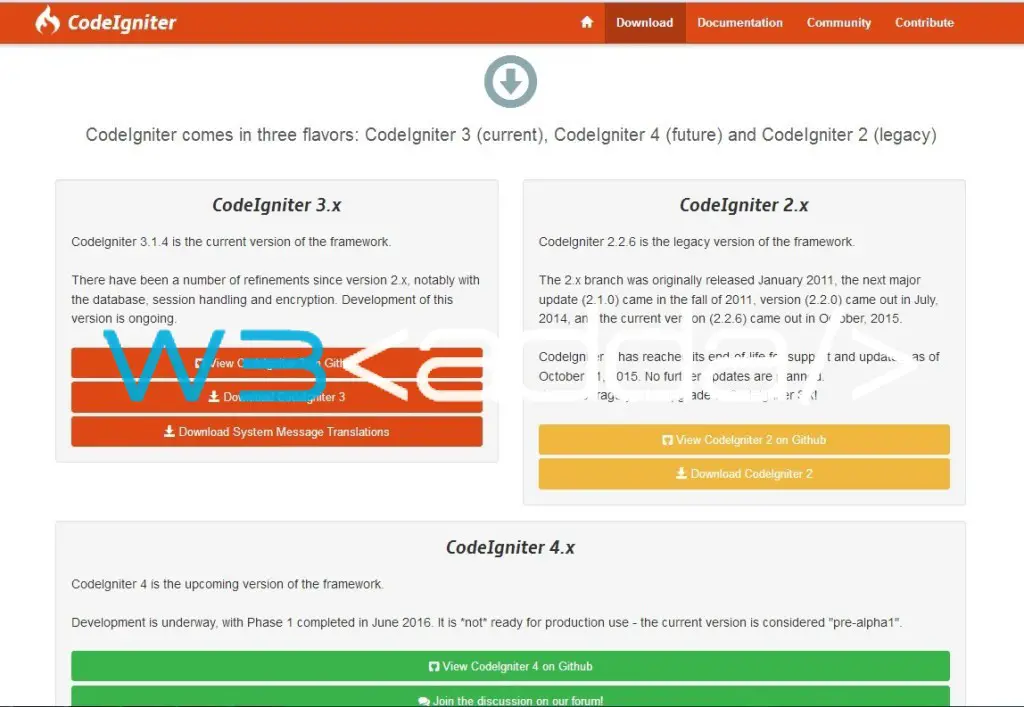
Once you open the link, there you will see three different codeigniter versions –

2.x – legacy version

3.x (Recommended) – current stable version

4.x – upcoming version

In this tutorial we are using CodeIgniter 3.1

Step 2:- Extract the downloaded folder and rename the folder name (example: codeigniter) and place it inside C:\xampp\htdocs folder in your local server

Step 3:- Test the installation

Open the following link in your web browser.

Replace with your project name, you will see the following screen –

installation2

Codeigniter Introduction

What is Codeigniter?

CodeIgniter is a one of the most widely used open source web application development framework written in PHP. CodeIgniter is considered to be very light weight, simple and elegant framework written in PHP. CodeIgniter follows MVC design pattern, which offers great separation between logic and presentation.

CodeIgniter is easy to learn rapid application development framework which saves lots of time writing everything from scratch. CodeIgniter framework comes with rich set of built-in libraries and helpers, which enables web developers to build full featured web application much faster while maintaining performance and security. CodeIgniter lets you focus on project development while taking care of all the complex part in background.

Codeigniter was created by EllisLab and is licensed under an Apache/BSD-style open source license so you are free to use it however you please.It is now a project of British Columbia Institute of Technology.

Codeigniter Features

Some of the key features of CodeIgniter framework are as follows –

Model-View-Controller Based System
Extremely Light Weight
Rich set of active record database classes.
Query Builder Database Support
Form and Data Validation
Security and XSS Filtering
Session Management
Email Sending Class. Supports Attachments, HTML/Text email, multiple protocols (Sendmail, SMTP, and Mail) and more.
File Uploading Class
Pagination
Zip Encoding Class
Large library of “helper” functions

Why Codeiniter?

Below is a list of some important reasons to choose Codeigniter for your next web development project –

Easy to learn and understand.
No “installation” necessary.
No PHP version conflicts
Support most of the major databases
Rich set of built-in libraries and helpers for email, pagination, image manipulation, form validation, file uploading, sessions, internationalization end security etc.
Easily extensible.
Easy caching operations
Promotes professional and modern web development practices
Promotes fast and secure web application development
Excellent documentation and has a huge community of active members

Codeigniter Advantage

Codeigniter Promotes rapid application development.
Codeigniter Promotes modular programming.
Codeigniter is lightweight and more capable.
Codeigniter compatible with most web servers, numerous operating systems and platforms.
Codeigniter Does Not Require a Template Engine
Codeigniter makes it easy to test or debug application.
Codeigniter makes development, deployment and maintenance simple and pleasing.
Codeigniter supports search-engine friendly URLs.
Codeigniter resource are easily available.
Codeigniter makes huge saving on cost and time.